
وضاحت
By default, WordPress has a modest limit for uploading images, videos, and other files. It’s a similar story for your PHP memory limit, which helps you run plugins and scripts. This plugin increase upload size limit up to more and more.
Rate This Plugin:
تصوير
انسٽاليشن
To install “WP Upload Size” using the built-in plugin installer:
1. Go to Plugins > Add New.
2. Type in “WP Upload Size” in Search Plugins box or click a tag link below the screen.
3. find the “WP Upload Size” in the list.
4. Click Install Now to install the WordPress Plugin.
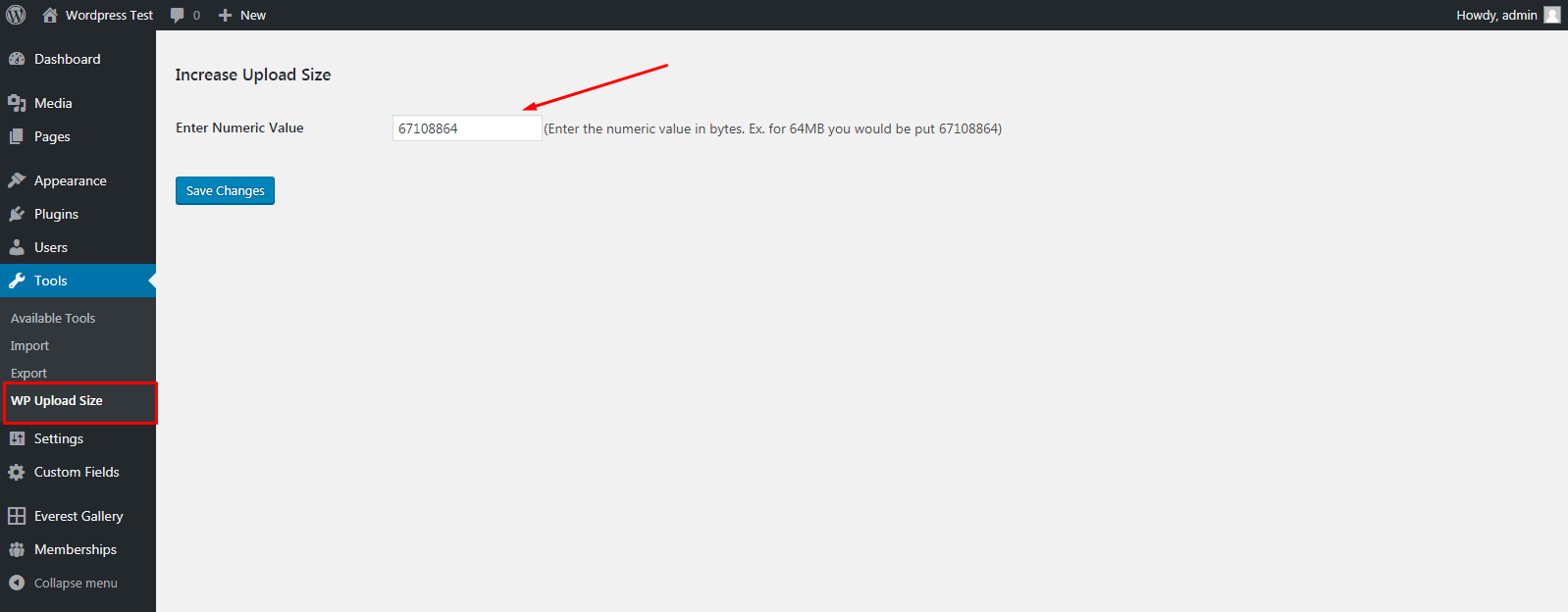
5. Go to Tool menu in wp-admin area.
6. Select WP Upload Size Link.
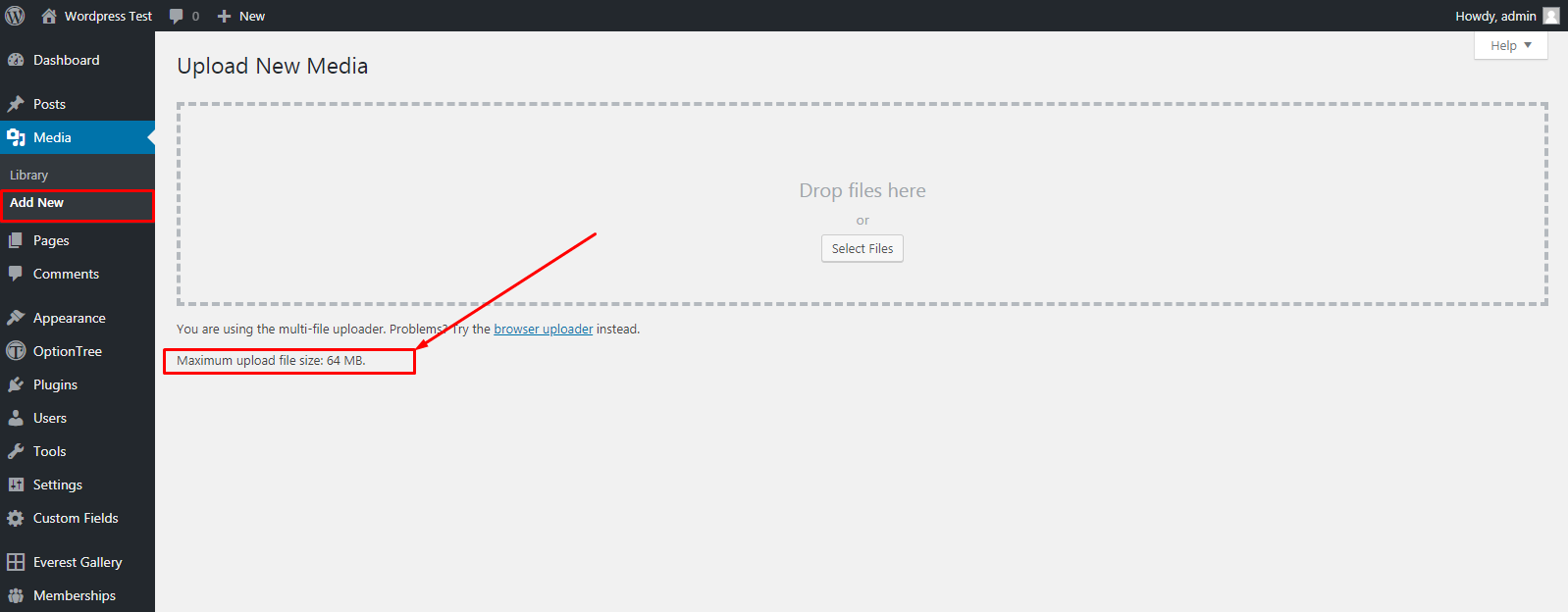
7. Put Increase Size in Bytes value (put 2048000 bytes to increase size 64MB).
To install “WP Upload Size” manually:
1. Download your WordPress Plugin to your desktop.
2. If downloaded as a zip archive, extract the Plugin folder to your desktop.
3. With your FTP program, upload the Plugin folder to the wp-content/plugins folder in your WordPress directory online.
4. Go to Plugins screen and find the “WP Upload Size” in the list.
5. Click Activate to activate it.
6. Go to Tool menu in wp-admin area.
7. Select WP Upload Size Link.
8. Put Increase Size in Bytes value (put 2048000 bytes to increase size 64MB).
FAQ
Question: Any affect on other Files?
Answer: This will work only for increase upload size.
جائزا


تعاون ڪندڙ & ڊولپرز
“WP Upload Size” اوپن سورس سافٽ ويئر آهي. ھيٺين ماڻھن ھن پلگ ان ۾ حصو ورتو آھي.
تعاون ڪندڙ
ترجمو ڪريو “WP Upload Size” توهان جي ٻولي ۾.
ڊولپمينٽ ۾ دلچسپي؟
ڪوڊ براؤز ڪريو، چيڪ ڪريو SVN مخزن، يا رڪنيت حاصل ڪريو ڊولپمينٽ لاگ پاران RSS.
لاگ تبدیل ڪريو
1.0.0
- First release