وضاحت
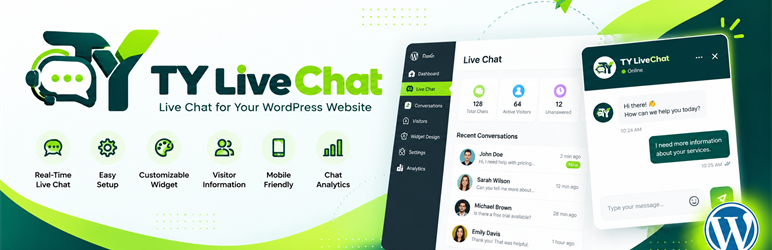
TY Live Chat lets visitors chat with you directly from your website. A chat button appears on your pages. When a visitor clicks it, they type their question and your team answers from a private chat portal, live, like WhatsApp or Messenger, but on your own website.
Everything runs inside your WordPress site. There is no external chat service to sign up for, no monthly fee and no per-agent pricing.
How it works
- Install and activate. A short setup guides you through your colors, the chat style, the visitor form and your availability.
- The chat button appears on your website. Visitors click it, fill in a short form (for example name and email) and start chatting.
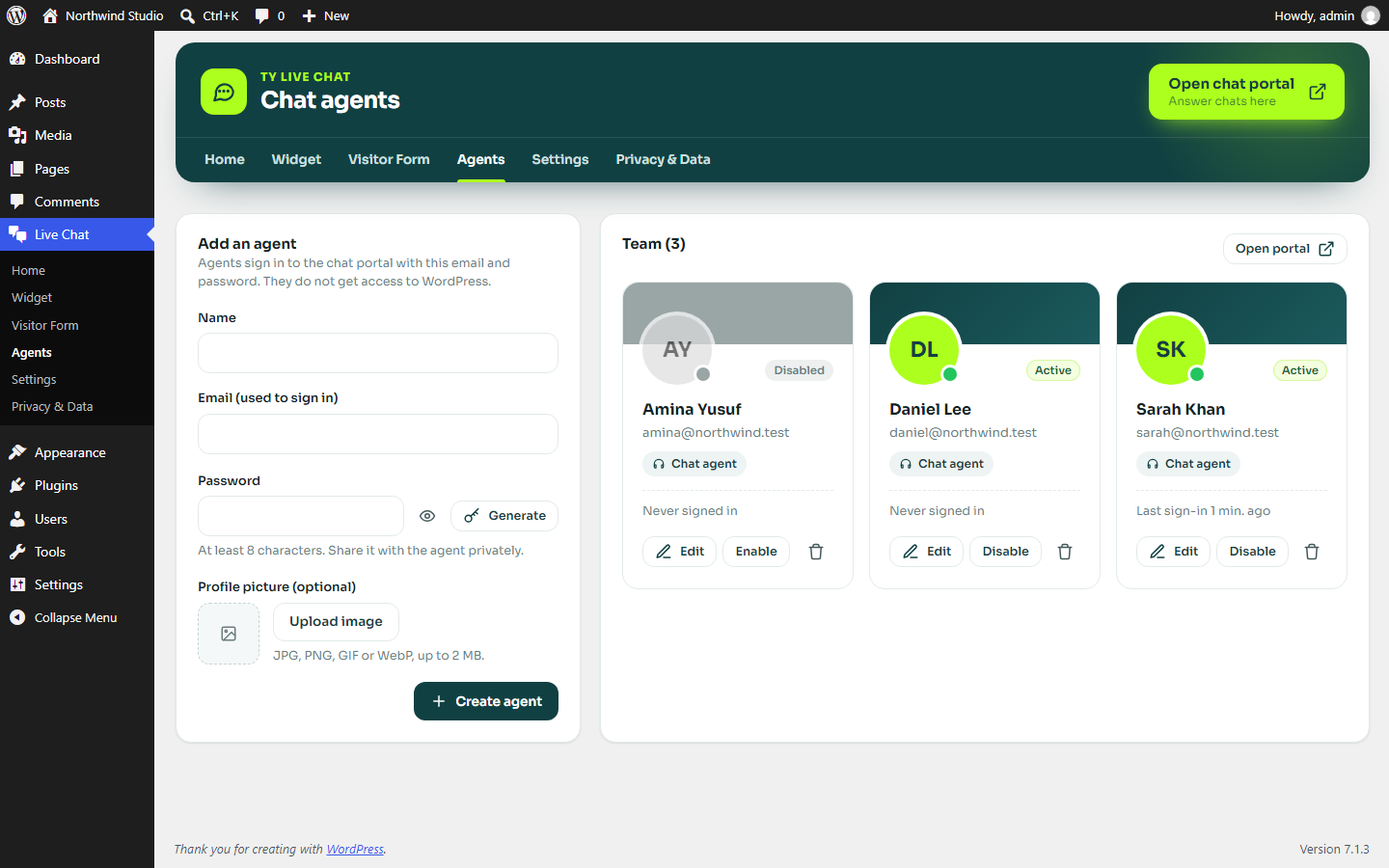
- Add your team as agents. Create an email and password for each person under Live Chat > Agents. They do not need a WordPress account and never see your WordPress dashboard.
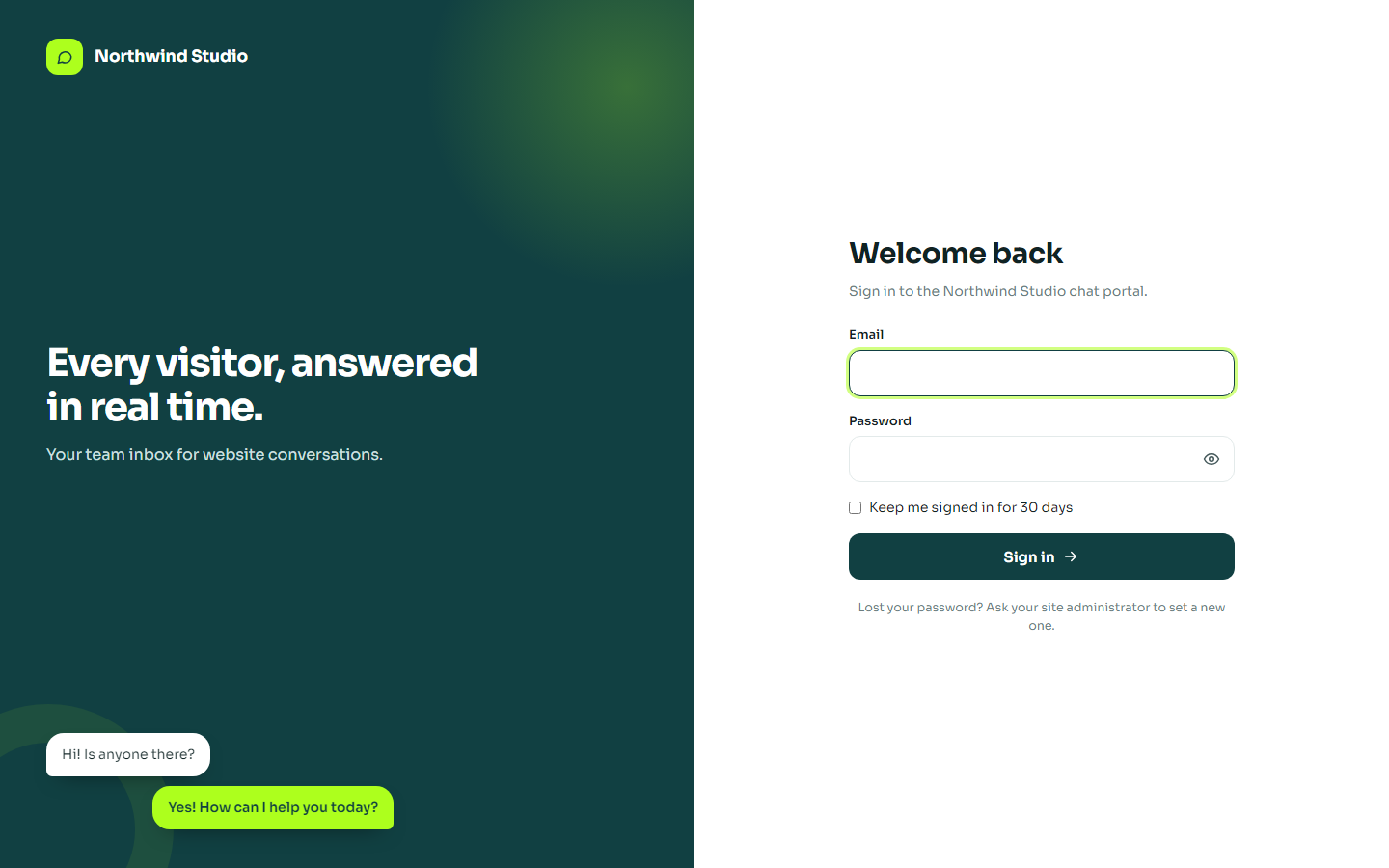
- Answer chats in the chat portal. Your team opens the portal at an address like
yoursite.com/chat-admin/, sees every conversation as it arrives and replies in real time, on a computer or a phone.
Who is it for?
- Businesses, shops and agencies that want to answer questions before a visitor leaves.
- Teams that want several people answering chats without giving them access to WordPress.
- Site owners who prefer to keep chat data on their own site instead of a third party service.
Why TY Live Chat
- Separate chat portal. Chats are answered in a clean workspace outside wp-admin, so support staff never touch your site settings.
- No extra accounts. Agents sign in with the email and password you create for them.
- Real time. New messages, typing indicators and unread counters update automatically, with optional sound and desktop alerts.
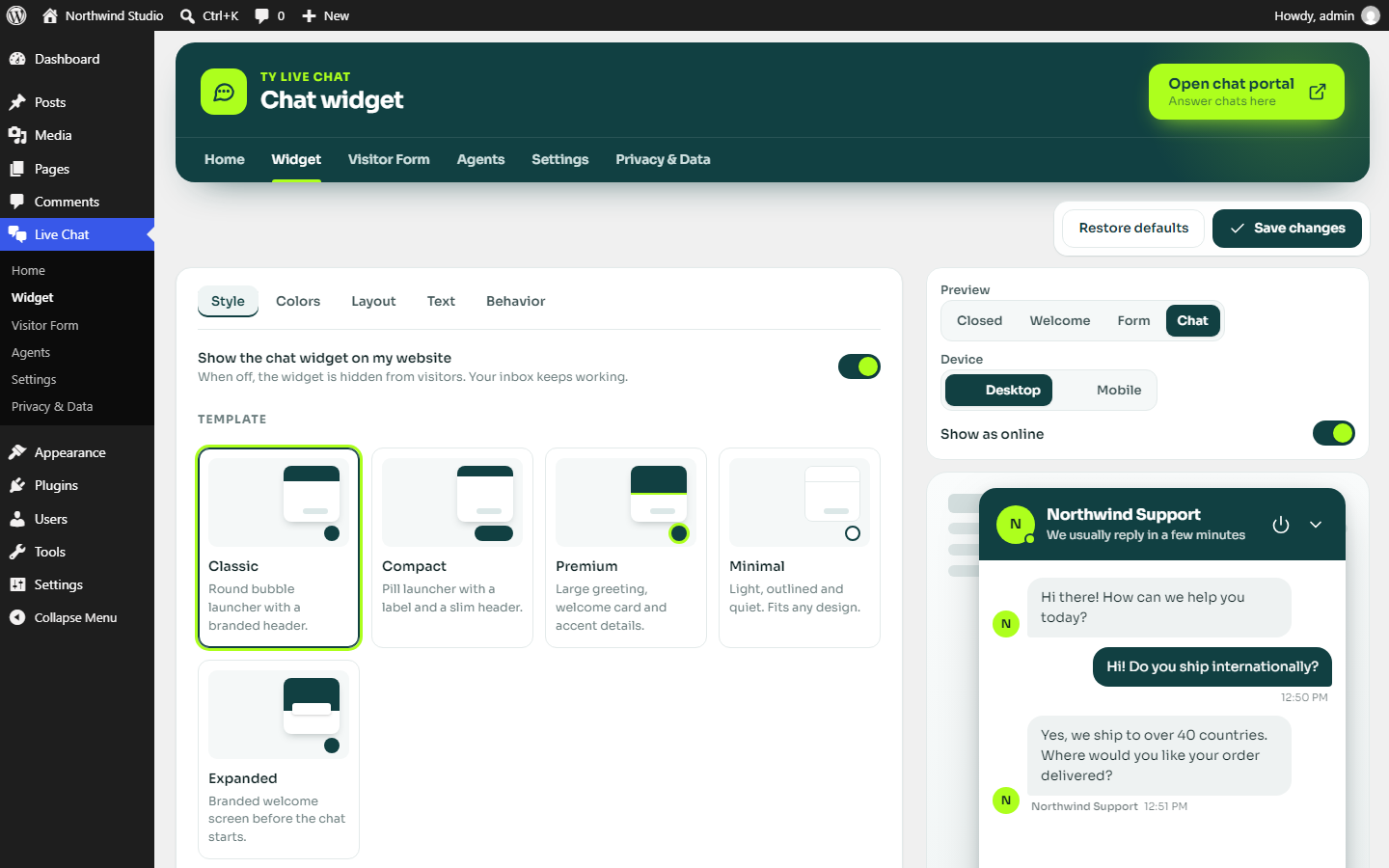
- Looks like your brand. Five widget styles, your colors, logo and texts, with a live preview before you save.
- Works on phones. The widget opens full screen on mobile, and the portal works like an app on a phone.
- Private by design. Data stays in your WordPress database, with a consent option, automatic clean-up and the WordPress export and erase tools.
Good to know
- There is no chatbot or AI. Real people on your team answer the chats.
- When nobody is available, the widget shows a “Leave us a message” form, and you can get an email for every new chat.
- The plugin works on normal shared hosting. It does not need WebSockets or any external service.
All features
Chat widget
- Five widget templates: Classic, Compact, Premium, Minimal and Expanded.
- Customize the colors, launcher shape and icon, position, size, corner radius, texts, logo and team picture.
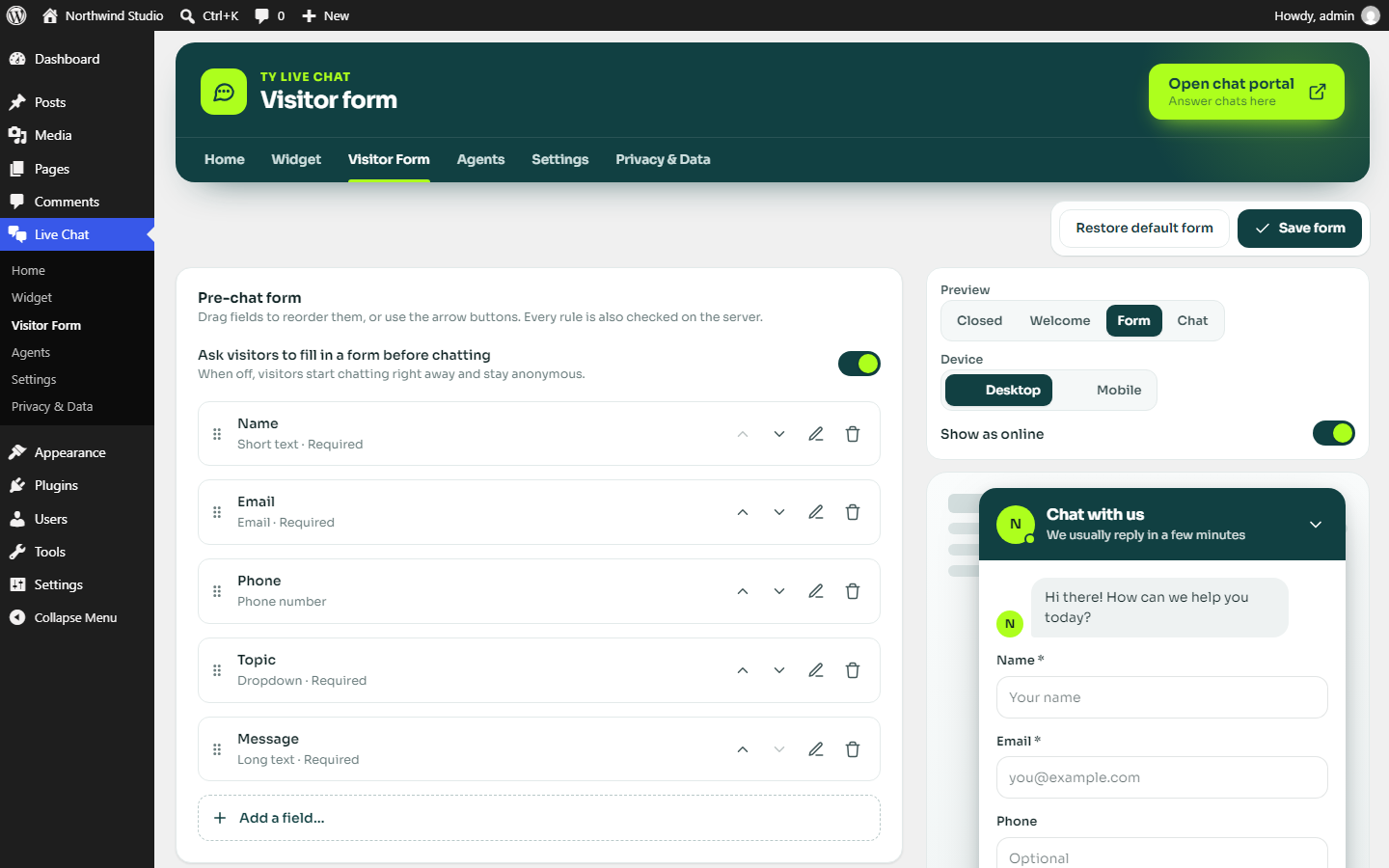
- A live preview shows your changes before you save them, on desktop and mobile.
- Full-screen chat on phones, plus an option to hide the widget on mobile.
- Optional automatic opening after a delay (once per visit, desktop only).
- The widget is added for you. There is no code to paste into your theme.
Visitor form builder
- Collect details before the chat starts, or let visitors chat right away.
- Drag and drop fields to reorder them (keyboard buttons are included for accessibility).
- Field types: short text, email, phone, long text, dropdown, radio buttons, checkbox and hidden page information.
- Set labels, placeholders, required fields, options and length limits. Every rule is checked again on the server.
Chat portal for your team
- A clean, separate workspace at an address you choose (for example
yoursite.com/chat-admin/), outside wp-admin. - Agents sign in with the email and password you create for them. They get no access to WordPress.
- Administrators can open the portal with one click using their WordPress account.
- Overview with live numbers, an inbox and a visitor list.
- Conversations update automatically, with typing indicators, unread counters, sound alerts and optional desktop notifications.
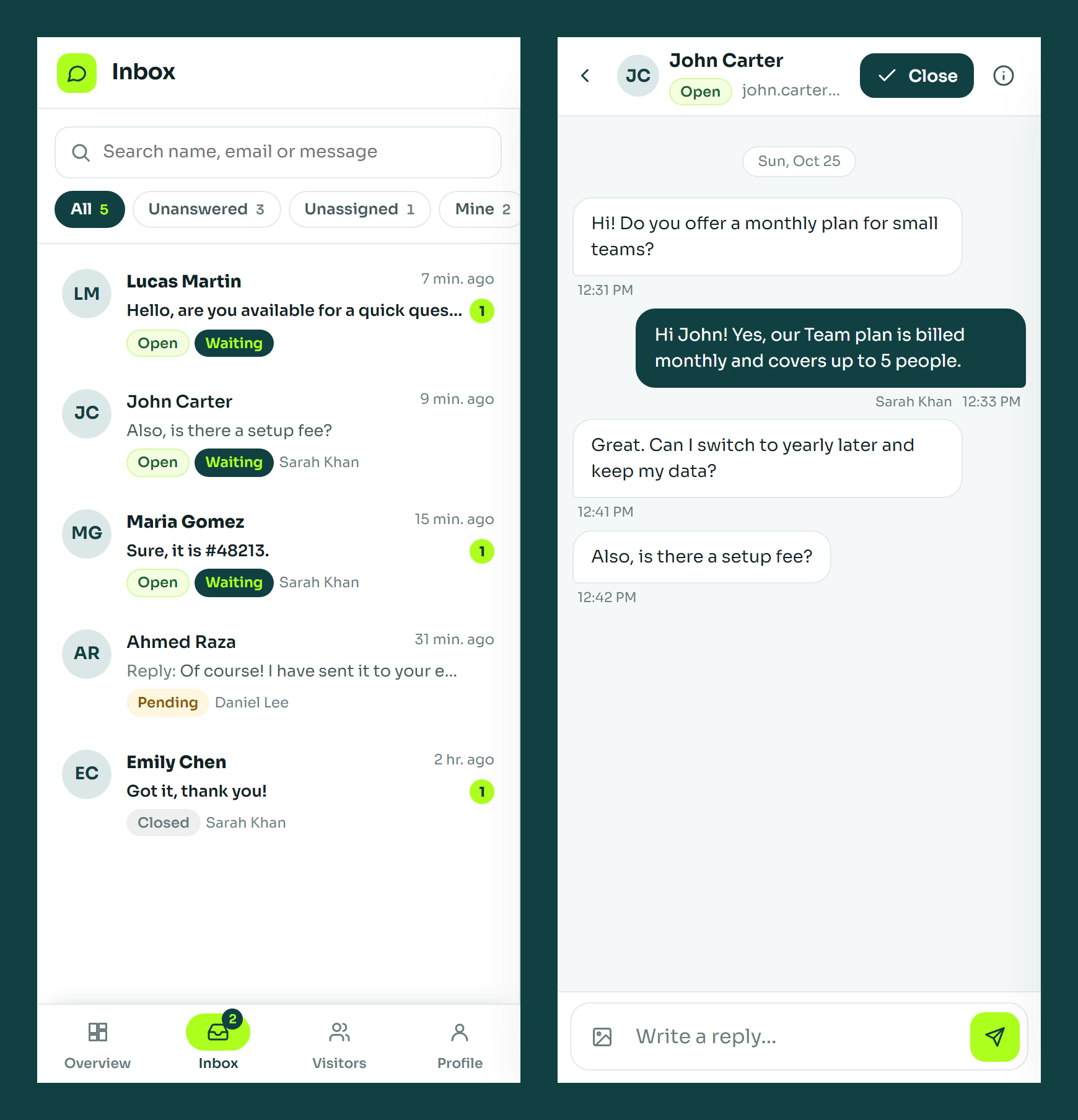
- Filter by All, Unanswered, Unassigned, Mine, Open, Pending and Closed, and search by name, email or message.
- Assign conversations, mark them pending, close and reopen them.
- Visitors and agents can send images (JPG, PNG, GIF or WebP up to 5 MB). Images show as previews and open full size with download and close buttons. Visitor uploads can be switched off.
- Works like an app on phones: a list view, a full-screen conversation view and bottom navigation.
Agents and availability
- Create, edit, disable and delete agents under Live Chat > Agents. Passwords are stored as secure hashes.
- Each agent has a name and picture that visitors see.
- Failed sign-ins are limited, and changing a password or disabling an agent signs them out everywhere.
- Availability modes: automatic (online while someone has the portal open), business hours, always online or always offline.
- When you are offline, the widget collects a message instead.
- Optional email alerts for new conversations.
Privacy and data
- Optional consent checkbox with a link to your privacy policy.
- Automatic deletion of inactive conversations after a period you choose.
- Works with the WordPress personal data export and erase tools.
- Suggested text for your privacy policy page.
- Chat data is never deleted when the plugin is deactivated. It is only removed on uninstall if you switch that option on.
How real-time messaging works
TY Live Chat uses the WordPress REST API with adaptive polling: about once a second during an active conversation, slower when the chat is quiet, and much less often in background tabs. This works on almost any WordPress hosting, including shared hosting, without WebSockets or third-party services. Messages are stored in your database, so conversations survive page reloads, and every message has a unique ID so retries never create duplicates.
Bundled resources
- Sora font, Copyright 2019 The Sora Project Authors, SIL Open Font License 1.1 (https://github.com/sora-xor/sora-font).
- Manrope font, Copyright 2018 The Manrope Project Authors, SIL Open Font License 1.1 (https://github.com/googlefonts/manrope).
The fonts are served from the plugin folder. No external font service is used. License files are in assets/fonts/.
Privacy
When a visitor starts a chat, TY Live Chat stores the details entered in the chat form, the messages, the page where the chat started and the time of each message in your WordPress database. A random identifier is kept in the visitor’s browser (local storage) so they can continue the conversation. No data is sent to external services by this plugin. Images sent in a chat are stored in wp-content/uploads/ty-live-chat/ under random file names, are not added to the Media Library, and are deleted together with their conversation. Large photos are resized and re-saved, which removes most embedded data such as location. For chat agents, the plugin stores their name, email address, a hashed password, an optional picture and sign-in times. Site owners can set an automatic retention period, delete conversations and visitors, and use the WordPress personal data tools.
تصوير


انسٽاليشن
- Install the plugin from the Plugins screen, or upload the
ty-live-chatfolder to/wp-content/plugins/. - Activate TY Live Chat.
- Open Live Chat in the admin menu. A short setup guides you through branding, style, the visitor form, availability and your chat portal address.
- Choose Finish setup. The widget now appears on your website.
- Add your agents under Live Chat > Agents and share the portal address with them.
FAQ
-
Is TY Live Chat really free?
-
Yes. Every feature described on this page is included, with no paid version, no per-agent or per-chat fees and no account to create.
-
Do I need an account with an external service?
-
No. Visitors, messages and settings are stored in your WordPress database. The plugin does not contact any external service.
-
Will it slow down my website?
-
The widget is a small script that loads in the footer with the
deferattribute and does not need jQuery. It renders inside a Shadow DOM, so your theme styles and the widget styles never conflict. Admin scripts load only on the TY Live Chat screens, and the portal loads only its own files. -
Does it work with page caching?
-
Yes. All chat requests use the REST API, are sent with no-cache headers and include a unique query string, so caches never serve old messages. Visitors are identified by a random token stored in their browser, not by a nonce in the page, so cached pages keep working.
-
How do visitors keep their conversation when they change pages?
-
The browser keeps a random identifier in local storage. Only a hashed version is stored on the server, and each visitor can only read their own conversation.
-
Who can answer chats?
-
Any agent you create under Live Chat > Agents, plus WordPress administrators, who can open the portal with their WordPress account. Agents sign in at the portal address shown on the Live Chat home screen.
-
Are chat images private?
-
Each image gets a long random file name that cannot be guessed, and folder listing is blocked. Anyone who has the exact link can open the image, as with most chat tools, so avoid sending highly sensitive documents in a chat.
-
Can I change the portal address?
-
Yes, under Live Chat > Settings. If your site uses plain permalinks, the portal is available at
yoursite.com/?tylc-portal=1. -
An agent forgot their password. What now?
-
Edit the agent under Live Chat > Agents and set a new password. They are signed out of every device and can sign in with the new password.
-
How many chats can it handle?
-
That depends on your hosting. Each open chat window sends a small request every few seconds. A typical shared hosting plan handles a few dozen simultaneous chats comfortably. If you expect many hundreds of simultaneous visitors chatting at once, use hosting with more PHP workers or an object cache.
-
Why do I not receive email notifications?
-
TY Live Chat sends email with the standard WordPress mail function. If your site does not send email reliably, install an SMTP plugin.
-
Is TY Live Chat GDPR compliant?
-
TY Live Chat gives you tools such as a consent checkbox, data retention, and export and erase support. Whether your website complies with a regulation depends on how you use it, so please check your own obligations.
جائزا
ھن پلگ ان لاءِ ڪي به رايا ناھن.
تعاون ڪندڙ & ڊولپرز
“TY Live Chat” اوپن سورس سافٽ ويئر آهي. ھيٺين ماڻھن ھن پلگ ان ۾ حصو ورتو آھي.
تعاون ڪندڙ
ترجمو ڪريو “TY Live Chat” توهان جي ٻولي ۾.
ڊولپمينٽ ۾ دلچسپي؟
ڪوڊ براؤز ڪريو، چيڪ ڪريو SVN مخزن، يا رڪنيت حاصل ڪريو ڊولپمينٽ لاگ پاران RSS.
لاگ تبدیل ڪريو
1.0.0
- First release.