
وضاحت
GruVer is a group management tool for clubs and youth organisations, especially scouts. In GruVer, the leaders of an organisation can create organisation calendars and choose which events they contain. This plugin shows such a calendar on your WordPress website.
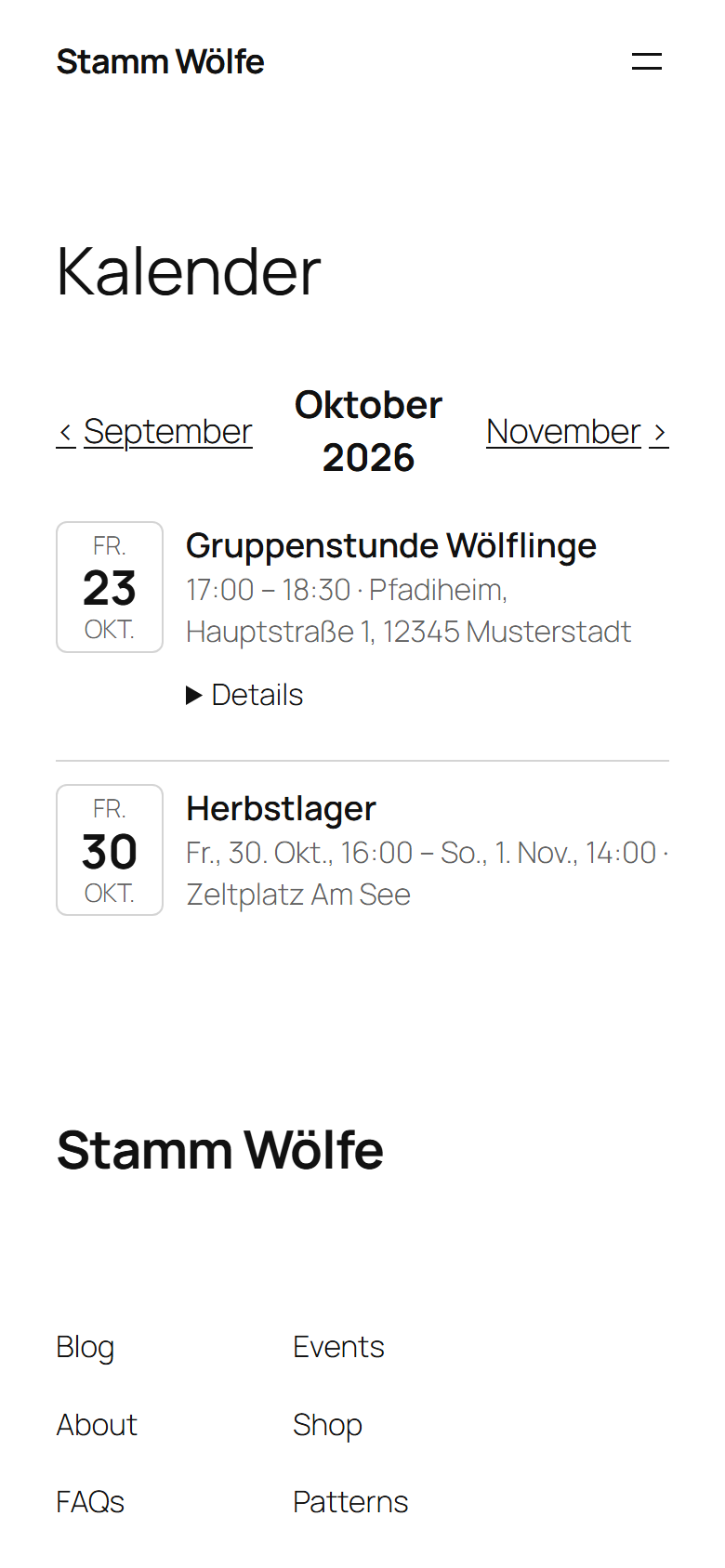
- Event list with date, time, title, location and an expandable description – or a compact list with date and title only for narrow sidebars.
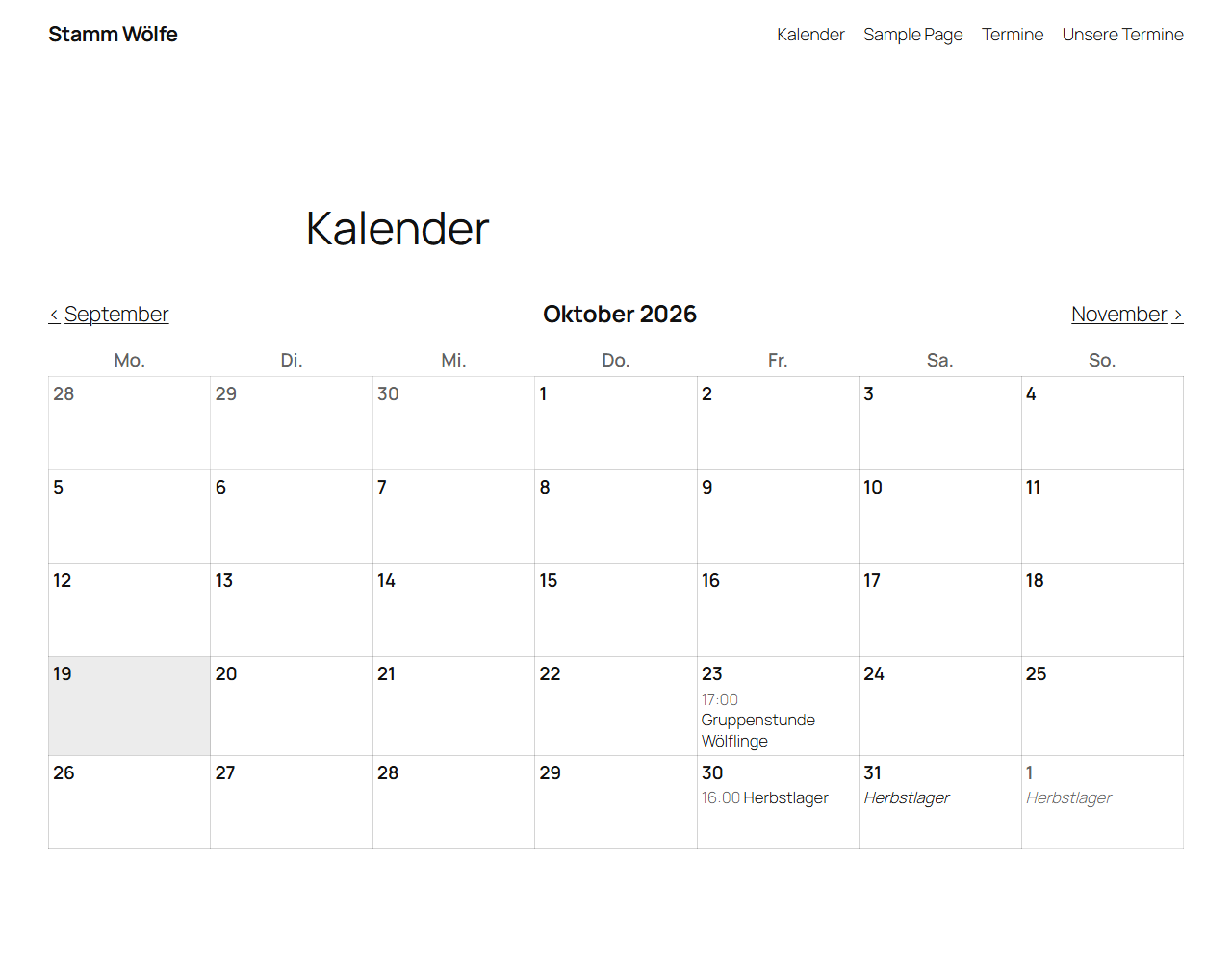
- Month view that visitors can page through. In narrow containers (sidebars, phones) it automatically turns into a list.
- Everywhere: as a block (also in widget areas and footers of block themes), as a classic widget and as the shortcode
[gruver_calendar]for page builders. - Several calendars, e.g. one per age group, each with its own name.
- No tracking, no cookies: your web server fetches the calendar from GruVer in the background and stores a copy. Your visitors only load your own website and never contact GruVer.
- Fits your theme: the calendar uses the colours and fonts of your theme. Developers can adjust it with CSS custom properties.
- Works without JavaScript on your website. Ready for translation.
How to get your calendar link
- Register your organisation with GruVer at app.gruver.de or log in if you already use GruVer.
- In GruVer, open Organisation Settings Organisation calendars and create a calendar. Choose which events it shows: all of them or only events with certain tags.
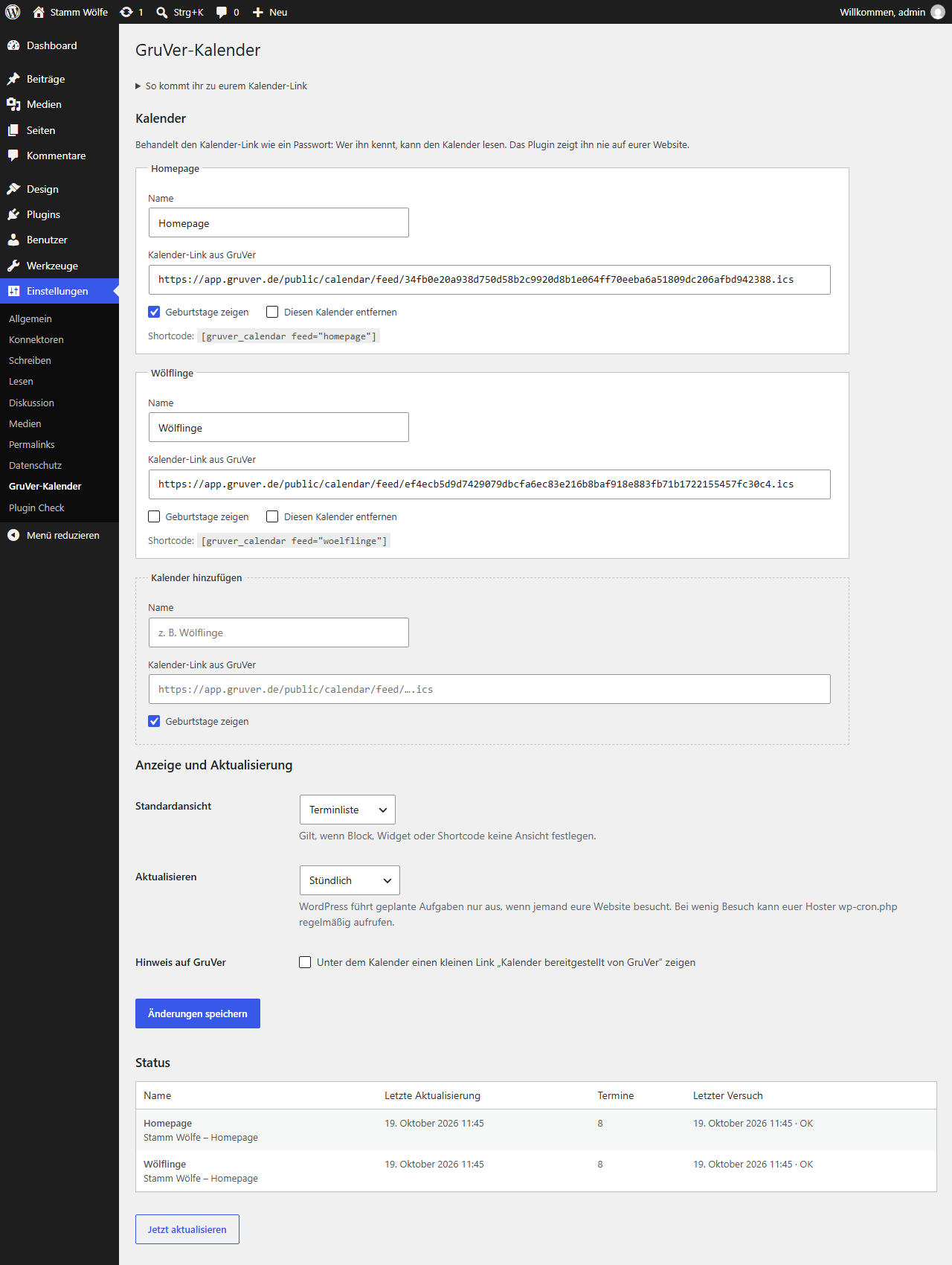
- Copy the calendar link. In WordPress, go to Settings GruVer Calendar and paste it together with a name.
- Add the “GruVer Calendar” block, widget or shortcode where the calendar should appear.
Treat the calendar link like a password: whoever knows it can read the calendar. The plugin never shows it on your website. If a link gets out, revoke it in GruVer and paste the new one.
External services
This plugin fetches calendars from GruVer (app.gruver.de), a group management service for clubs and youth organisations. The service is required: the plugin shows nothing without a calendar from GruVer.
- What is fetched: the iCalendar feed behind the calendar link you enter on the settings page (an address at app.gruver.de).
- When: after you save a new or changed calendar link, when you click “Refresh now”, and at the chosen refresh interval through WP-Cron (hourly by default).
- What is sent: an HTTP request from your web server to the calendar link. Like every request WordPress makes, it contains the IP address of your server and a user agent with the WordPress version and the address of your website. No data about your visitors is sent; they never contact GruVer.
GruVer: terms of service, data processing agreement, disclaimer, privacy policy, imprint.
تصوير

بلاڪس
واحد: هي پلگ ان 1 بلاڪ مهيا ڪري ٿو.
- GruVer Calendar Events from your GruVer calendar as a list or month view.
انسٽاليشن
- Install the plugin from the WordPress plugin directory and activate it.
- Go to Settings GruVer Calendar and paste the calendar link from GruVer (see “How to get your calendar link”).
- Add the “GruVer Calendar” block to a page or a widget area, or use the shortcode
[gruver_calendar].
FAQ
-
Do I need a GruVer account?
-
Yes. The calendar comes from GruVer, where the leaders of your organisation plan events. The plugin does not work with calendars from other services.
-
Which events appear?
-
The ones the organisation calendar in GruVer contains: all events or only those with certain tags, optionally without some event types or single events. Change this in GruVer; the website follows with the next refresh. Past events stay visible in the month view for 12 months.
-
How often is the calendar refreshed?
-
Hourly by default; you can switch to twice a day or daily. The “Refresh now” button on the settings page fetches all calendars at once. WordPress only runs scheduled tasks when someone visits your website. On sites with few visitors, ask your host to call
wp-cron.phpregularly with a real cron job. -
What happens if GruVer cannot be reached?
-
The plugin keeps showing the last calendar it fetched successfully. The settings page shows when the last refresh happened and what went wrong.
-
Which shortcode options are there?
-
[gruver_calendar view=”list” count=”10″ feed=”cubs” compact=”yes”]
view:listormonth. Without it, the default view from the settings is used.count: number of events in the list (default 5).feed: the key of the calendar as shown on the settings page. Without it, the first calendar is used.compact:yesshows date and title only.
-
Can I hide birthdays?
-
A GruVer calendar only contains birthdays if the leaders enabled them and each member agreed for this very calendar. You can still hide them per calendar on the settings page.
-
How do I change the colours?
-
The calendar uses the text colour of your theme and the “primary” colour of block themes as accent. Override
--gruver-calendar-accent,--gruver-calendar-border,--gruver-calendar-mutedor--gruver-calendar-todayon.gruver-calendarin your theme’s CSS. -
No. Visitors of your website never contact GruVer. A suggested text for your privacy policy is available under Settings Privacy.
جائزا
ھن پلگ ان لاءِ ڪي به رايا ناھن.
تعاون ڪندڙ & ڊولپرز
“GruVer Calendar” اوپن سورس سافٽ ويئر آهي. ھيٺين ماڻھن ھن پلگ ان ۾ حصو ورتو آھي.
تعاون ڪندڙ
واحد: “GruVer Calendar” 1 لوڪل ۾ ترجمو ڪيو ويو آهي. ترجمي ڪندڙن جي مهرباني سندن تعاون لاءِ.
ترجمو ڪريو “GruVer Calendar” توهان جي ٻولي ۾.
ڊولپمينٽ ۾ دلچسپي؟
ڪوڊ براؤز ڪريو، چيڪ ڪريو SVN مخزن، يا رڪنيت حاصل ڪريو ڊولپمينٽ لاگ پاران RSS.
لاگ تبدیل ڪريو
1.0.0
- First release: event list and month view as block, widget and shortcode; several calendars; refresh through WP-Cron.