
وضاحت
Your products do not have one price. A blind depends on width and drop. A glass panel depends on its size and edge finish. A sign depends on the letters. WooCommerce gives each product one price.
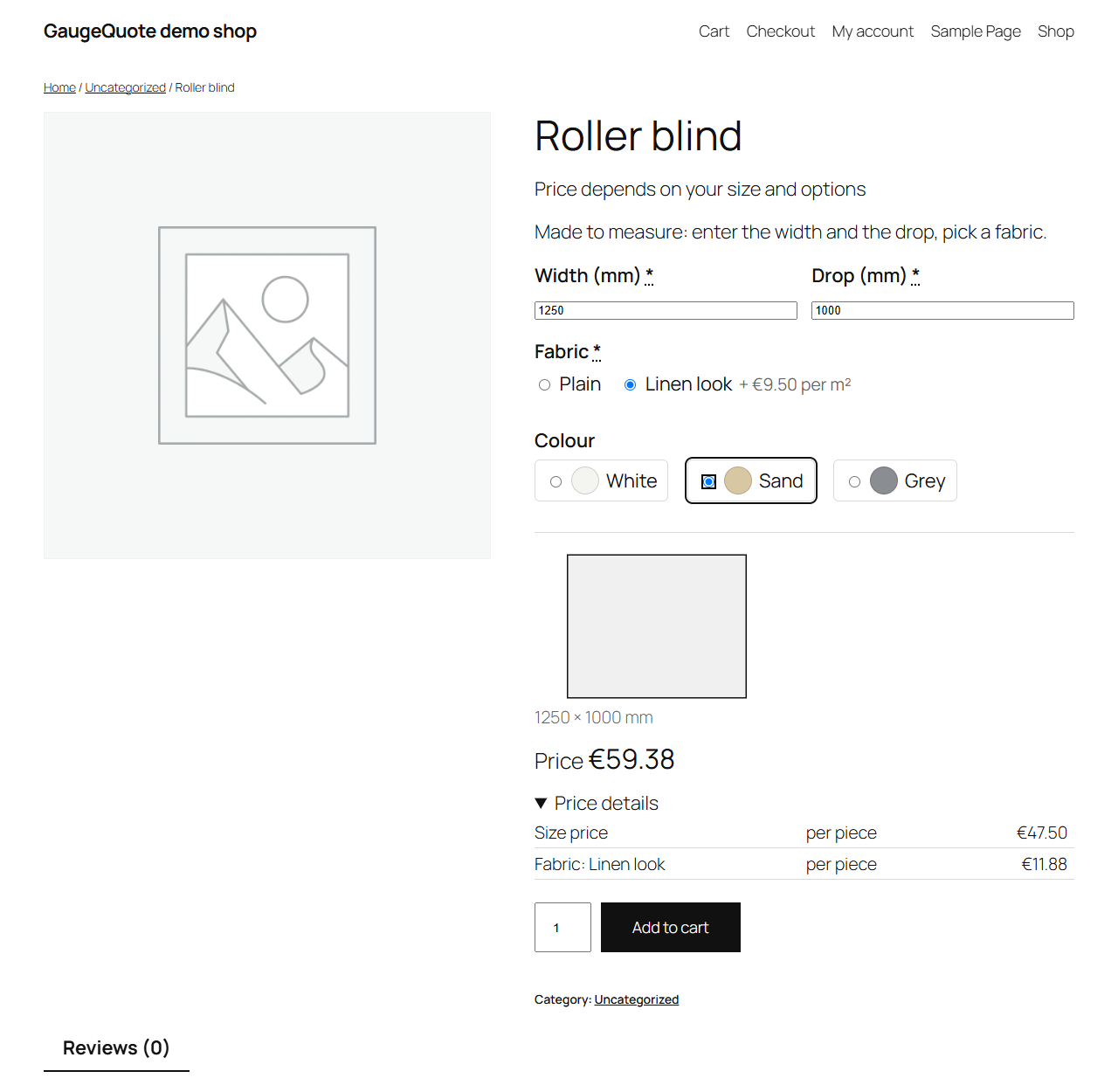
GaugeQuote adds option fields, conditions and price formulas to WooCommerce products. Customers enter their sizes and choices and see the price at once. Your server works it out again before anything goes in the cart.
The free plugin is complete on its own. Nothing in it is locked.
Guides for every feature: https://gaugequote.com/docs/
Product options
- Nine option types: text, text box, number, drop-down list, radio buttons, checkboxes, colour or image swatches, date and file upload.
- A price on each option or choice: a fixed amount per piece or per order, a percent of the piece price, a price per character (spaces free), per unit of a number, per m² of the piece or per metre of edge.
- Conditions: show, hide or require an option when all or any rules match. Rules can look at earlier options, the sizes, the quantity, the material and the shape. A hidden option is never priced.
Price formulas
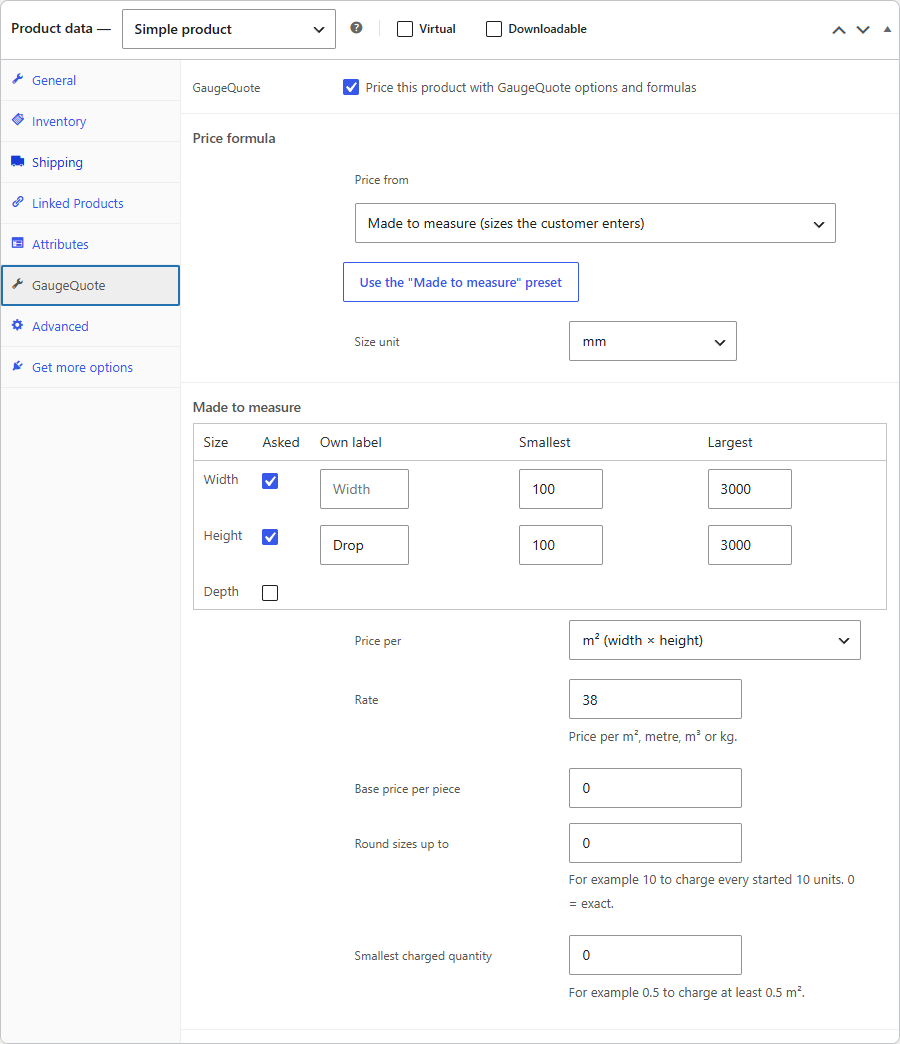
- Made to measure: the customer enters width, height and depth within your limits, in mm, cm, m or in. Price per m², per metre of perimeter, per running metre, per m³ or per kg (volume × density).
- A base price per piece, sizes rounded up to a step, and a smallest charged quantity.
- The “Made to measure” preset sets up width and height from 100 to 3000 mm, priced per m², in one click.
- Charges and quantities in every price mode: setup fee, minimum charge, smallest and largest quantity, quantity discounts, piece-price rounding.
- Cut to size with quick shapes (rectangle, circle): your materials with sheet size and price per sheet or per m², a machine rate per metre of cut or per minute, a pierce charge, waste, area-share or whole-sheet pricing. A part too big for the sheet goes to a manual quote.
A live price the server re-checks
- The customer sees the price, a price breakdown and a 2D preview while choosing.
- When they add to cart, the server prices the order again from your settings. A price sent from the browser is never used.
- The cart re-prices every line on every total, on quantity changes and at checkout.
- The live price follows your shop’s tax display setting; WooCommerce works out the tax.
Files and orders
- Private file uploads: the type is checked by name and content, with a size cap, random file names and a protected folder. A DXF chosen in a file field is sketched in that field on the product page, marked as not used for the price.
- Files that never became part of an order are deleted after the number of days you set.
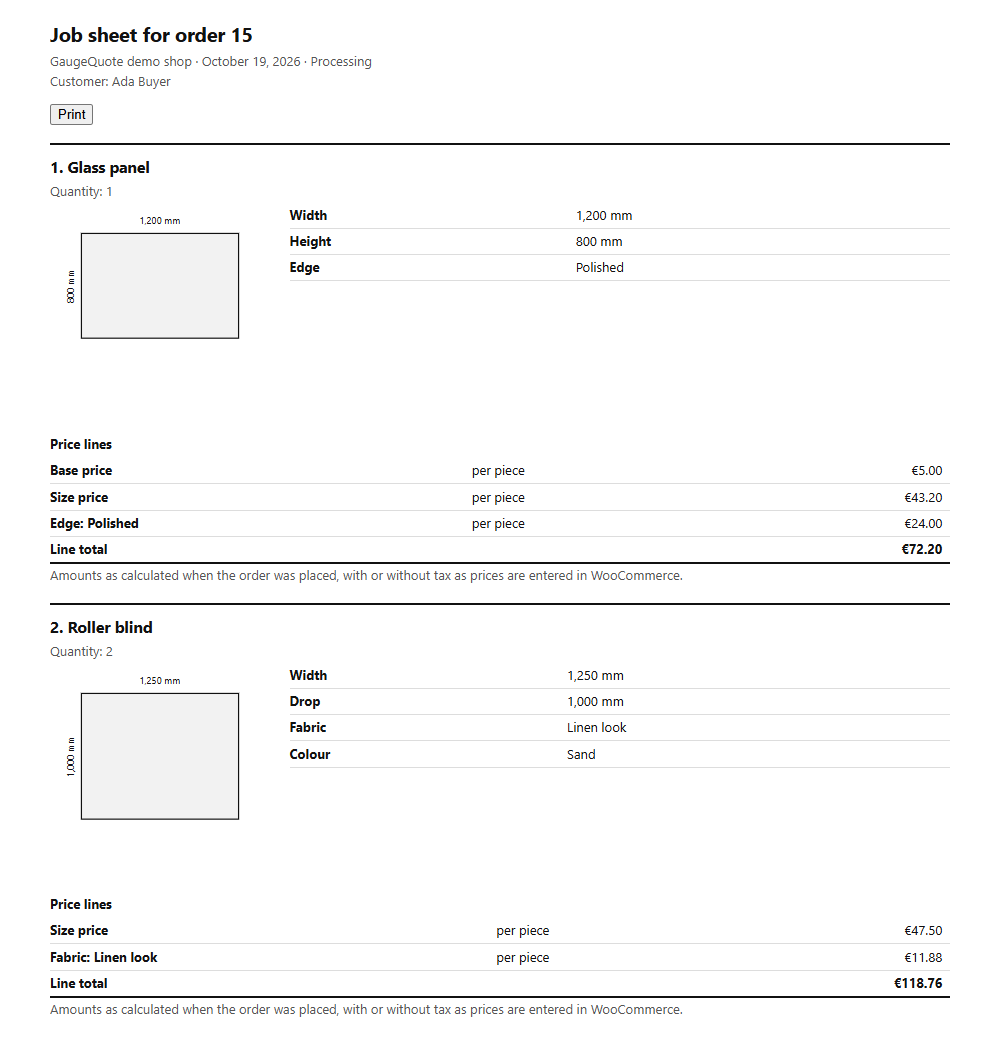
- Orders keep every answer, the price lines and the files. Staff download the files and print a job sheet with a 2D sketch.
- Works with the classic cart and checkout and with the cart and checkout blocks. Supports WooCommerce order tables (HPOS).
Use cases
Blinds and curtains, glass and mirrors, signs and banners, printing, frames, flooring, fabric, worktops, doors and fences, panels cut to size, and personalised products such as engraving text, gift options and logo upload.
GaugeQuote Pro
GaugeQuote Pro is a separate, paid add-on that you install next to this plugin. It adds your own price formulas, customer price lists, saved quotes with a quote PDF, shared option sets, CSV import and export and branded job sheets. The Cutting plans add the DXF instant quote for laser, CNC-router and cut-to-size shops. This plugin works fully without it.
Plans, prices and a 14-day free trial: https://gaugequote.com/pricing.html
Outside services
GaugeQuote measures and prices everything on your own server and sends no email. It includes the Freemius SDK (freemius.com), which runs in anonymous mode: it sends nothing unless a site admin chooses “Opt In” on the Plugins screen, and every GaugeQuote feature works without it. Freemius is contacted only when:
- an admin opens WooCommerce > GaugeQuote > “About GaugeQuote Pro” (it loads the add-on’s description and prices from Freemius);
- an admin opts in (it then sends the admin’s name and email address, the site’s address and title, the WordPress, PHP and plugin versions, the site language, whether the plugin is active, and the list of plugins and themes unless that is switched off on the opt-in screen; after that, once a day, any changes to them);
- an admin buys, activates or updates the GaugeQuote Pro add-on.
Freemius privacy policy: https://freemius.com/privacy/ and terms of service: https://freemius.com/terms/. An admin can opt out again at any time on the Plugins screen.
تصوير


انسٽاليشن
- Install and activate WooCommerce (9.0 or newer).
- Go to Plugins > Add New Plugin, search for GaugeQuote, then click Install Now and Activate.
- Open a simple product (Products > Edit). In Product data, open the GaugeQuote tab and tick “Price this product with GaugeQuote options and formulas”.
- Under Price formula > Price from, choose the product’s price plus options, made to measure, or cut to size.
- Under Options, choose a type and click “Add an option”.
- Click Update and open the product page to see the options and the live price.
Shop settings shared by all products (materials, machine and cutting rates, uploads) are under WooCommerce > GaugeQuote.
FAQ
-
Does it work with variable products?
-
Not yet. GaugeQuote prices simple products.
-
Does it work with the cart and checkout blocks?
-
Yes, and with the classic cart and checkout.
-
Can a customer change the price?
-
No. The server prices every cart line again from the stored answers and your settings. Prices and measurements sent from the browser are ignored.
-
Can customers see my rates?
-
The live price is worked out in the browser, so the settings it needs are in the page source. This is the same for any price calculator that works in the browser. The server prices the cart from your own settings.
-
How is tax handled?
-
WooCommerce works out the tax, with your tax classes and rates. The live price follows your shop’s display setting (including or excluding tax).
-
The price on the product page is replaced by a message to contact the shop.
-
The job cannot be priced automatically, for example a part too big for the sheet or below the smallest part size. The job is not added to the cart, and the customer is asked to contact the shop.
-
“The options were not saved. Check …”
-
A setting is wrong. The message names it, for example “made to measure > rate”. Your changes are kept as a draft. Customers keep seeing the last saved options.
-
“The options were saved, but the product cannot be priced yet.”
-
The options are valid but do not work with the product or the shop settings, for example the product has no regular price, or a material is missing. Fix the named setting and click Update.
-
A product cannot be bought, and the admin shows a GaugeQuote notice.
-
Its options no longer match the shop settings, for example every material it offers was deleted. Open the product and save its GaugeQuote options again. The notice names every product affected.
-
Where are uploaded files stored?
-
In a private folder in your uploads directory, under random names without extensions, with deny rules for Apache and IIS. A developer can move the folder outside the web root with a filter.
-
I use page caching.
-
Logged-out visitors can use cached product pages.
-
What does uninstalling remove?
-
GaugeQuote removes its shop settings and the files that were never ordered. Order files and the options saved on products stay.
-
Does GaugeQuote send email?
-
No. WooCommerce sends its own order emails.
جائزا
ھن پلگ ان لاءِ ڪي به رايا ناھن.
تعاون ڪندڙ & ڊولپرز
“GaugeQuote — Product Options & Price Formulas” اوپن سورس سافٽ ويئر آهي. ھيٺين ماڻھن ھن پلگ ان ۾ حصو ورتو آھي.
تعاون ڪندڙ
ترجمو ڪريو “GaugeQuote — Product Options & Price Formulas” توهان جي ٻولي ۾.
ڊولپمينٽ ۾ دلچسپي؟
ڪوڊ براؤز ڪريو، چيڪ ڪريو SVN مخزن، يا رڪنيت حاصل ڪريو ڊولپمينٽ لاگ پاران RSS.
لاگ تبدیل ڪريو
0.1.2
- Clearer messages when an add-on, such as the GaugeQuote Pro price table, cannot price a size (for developers: detail.error in the gaugequote:quote event and the gaugequote_engine_error_message filter).
0.1.1
- Settings and GaugeQuote Pro links on the Plugins screen.
- Plugin and author links to gaugequote.com.
0.1.0
- First version.