

وضاحت
The BossSocial plugin allows you to link of the most popular social networking sites. The plugin comes with a custom widget allowing you to place social icons in any widget location or sidebar or place them in posts and pages with the BossSocial shortcode.
تصوير
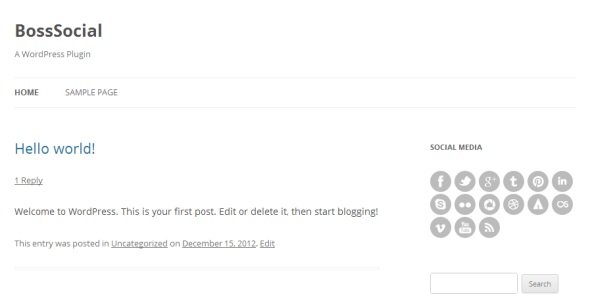
انسٽاليشن
- Upload the /boss-social/ folder to the /wp-content/plugins/ directory.
- Activate the BossSocial plugin through the “Plugins” menu in WordPress.
- Configure your settings in the new “BossSocial” menu which appears.
- Display your icons using the custom widget or shortcode.
FAQ
- To use BossSocial in your posts and pages you can use the shortcode:
-
[boss_social_icon type=”” url=””]
- You can use “type” parameter to select social icon eg:
-
[boss_social_icon type=”facebook” url=””]
جائزا
ھن پلگ ان لاءِ ڪي به رايا ناھن.
تعاون ڪندڙ & ڊولپرز
“BossSocial” اوپن سورس سافٽ ويئر آهي. ھيٺين ماڻھن ھن پلگ ان ۾ حصو ورتو آھي.
تعاون ڪندڙ

ترجمو ڪريو “BossSocial” توهان جي ٻولي ۾.
ڊولپمينٽ ۾ دلچسپي؟
ڪوڊ براؤز ڪريو، چيڪ ڪريو SVN مخزن، يا رڪنيت حاصل ڪريو ڊولپمينٽ لاگ پاران RSS.
لاگ تبدیل ڪريو
1.0
- Initial release.