وضاحت
Finalwork Accessibility checks your whole WordPress site for accessibility problems, and adds a simple accessibility button for visitors:
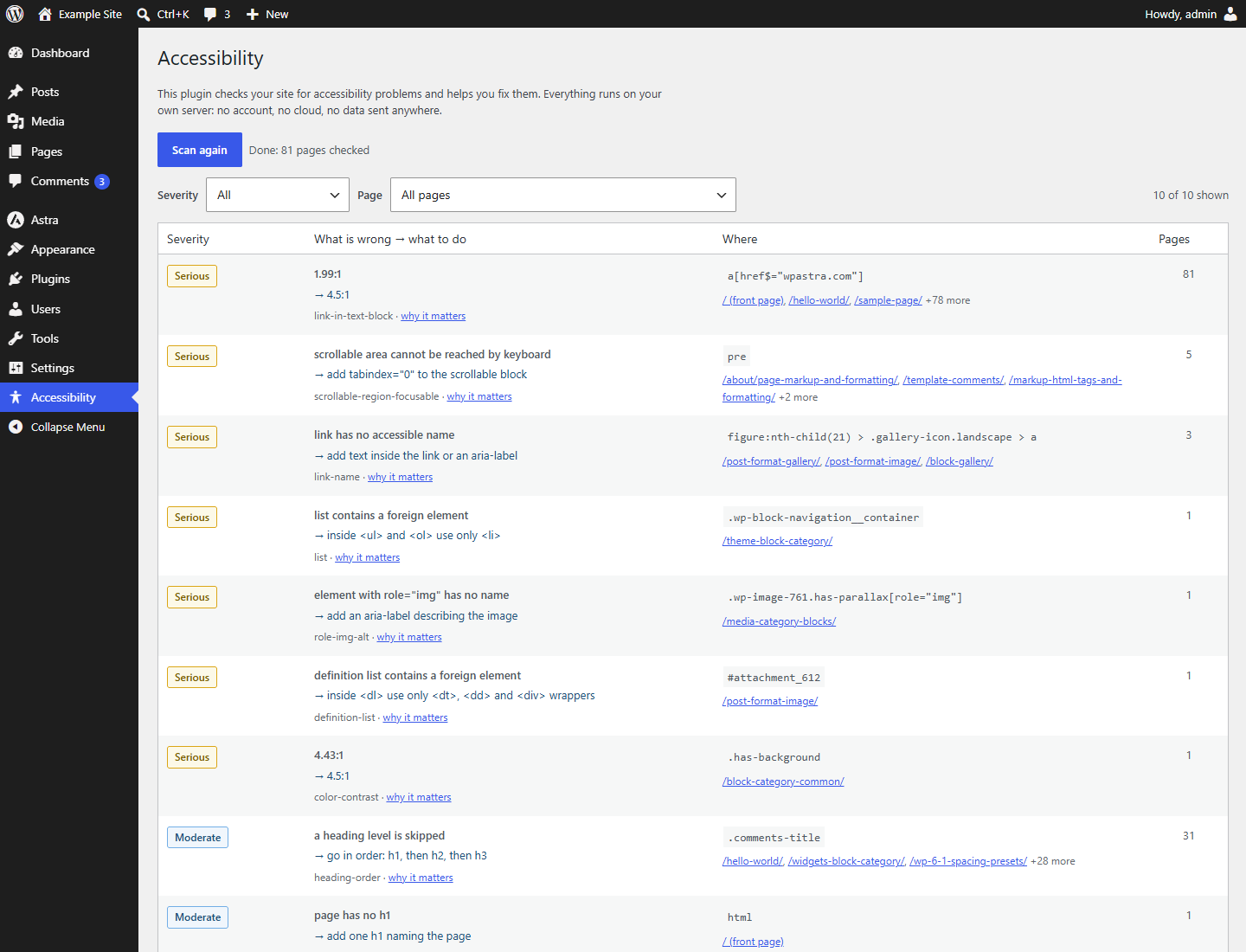
- Accessibility checker. Scans your pages against WCAG 2.0 and 2.1 level A and AA rules and tells you, in plain words, what is wrong and what to put instead.
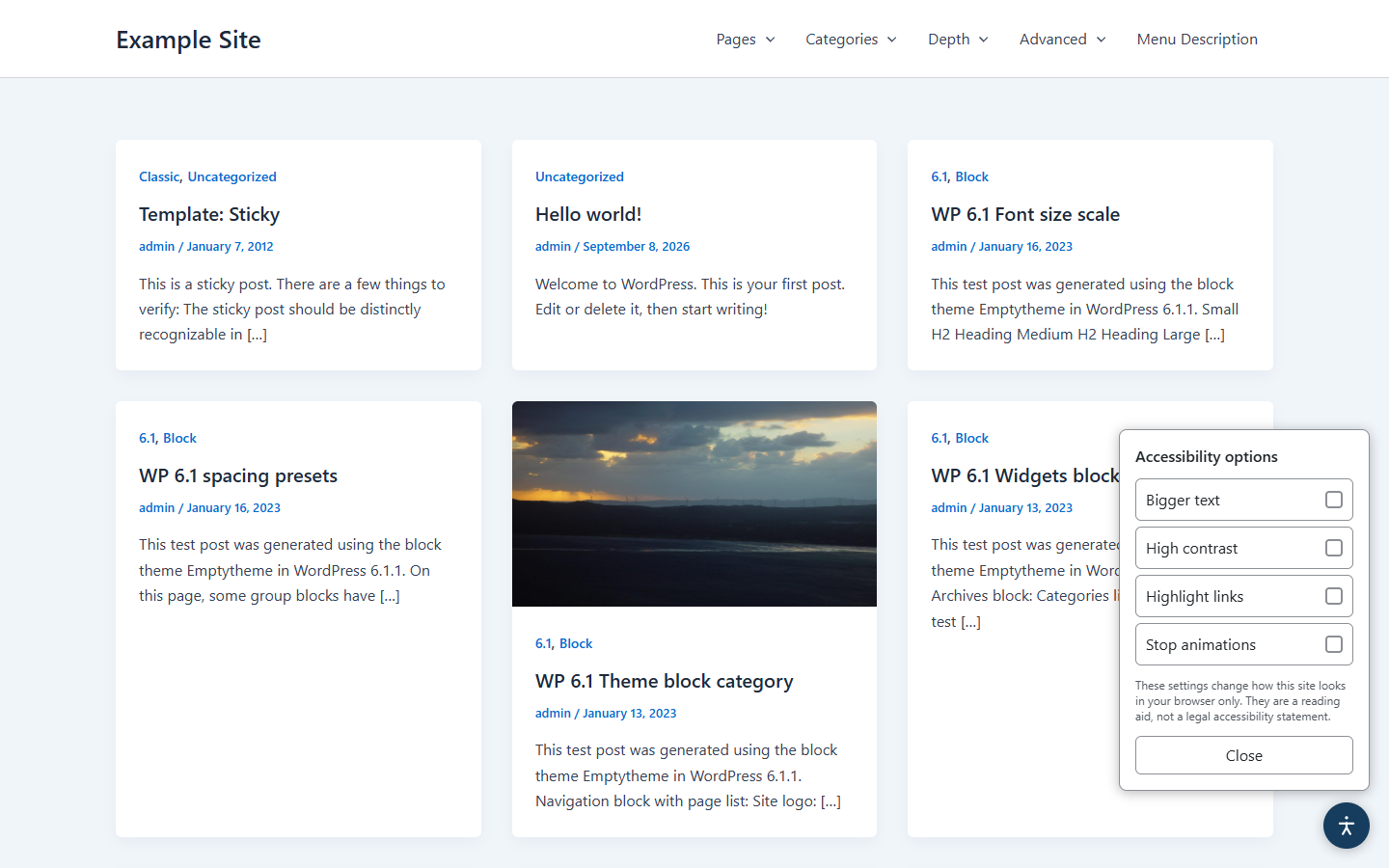
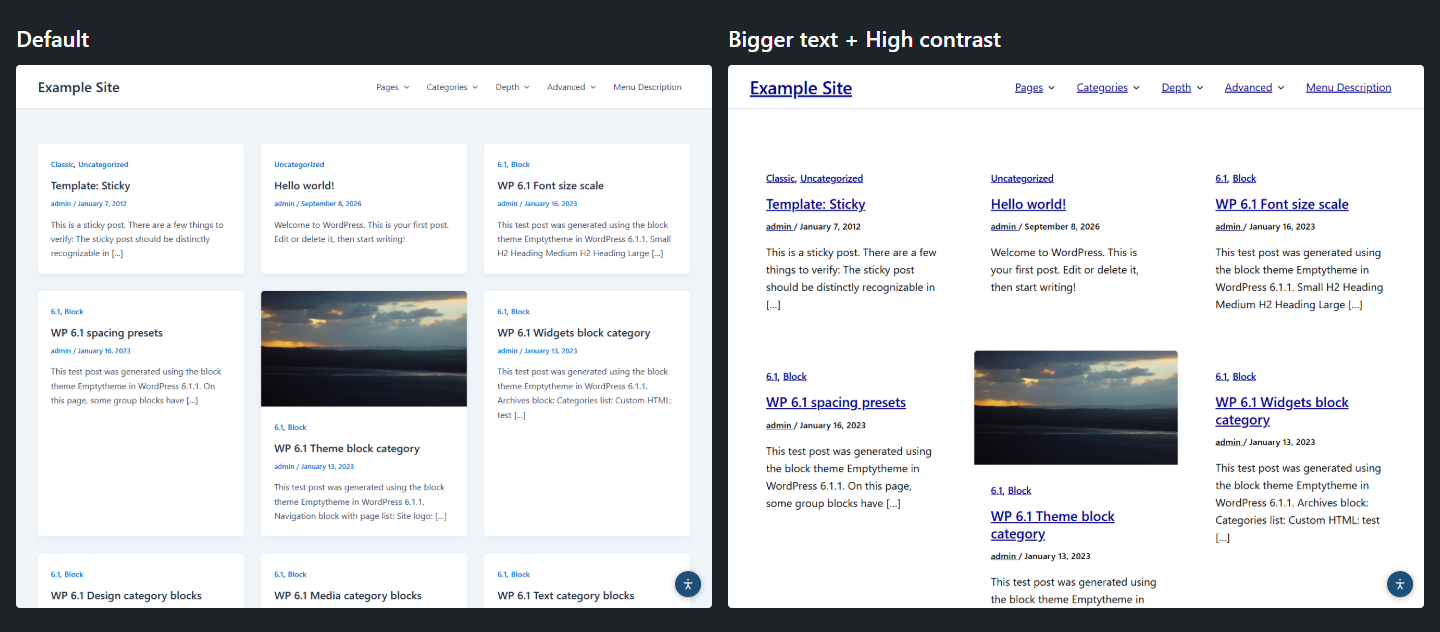
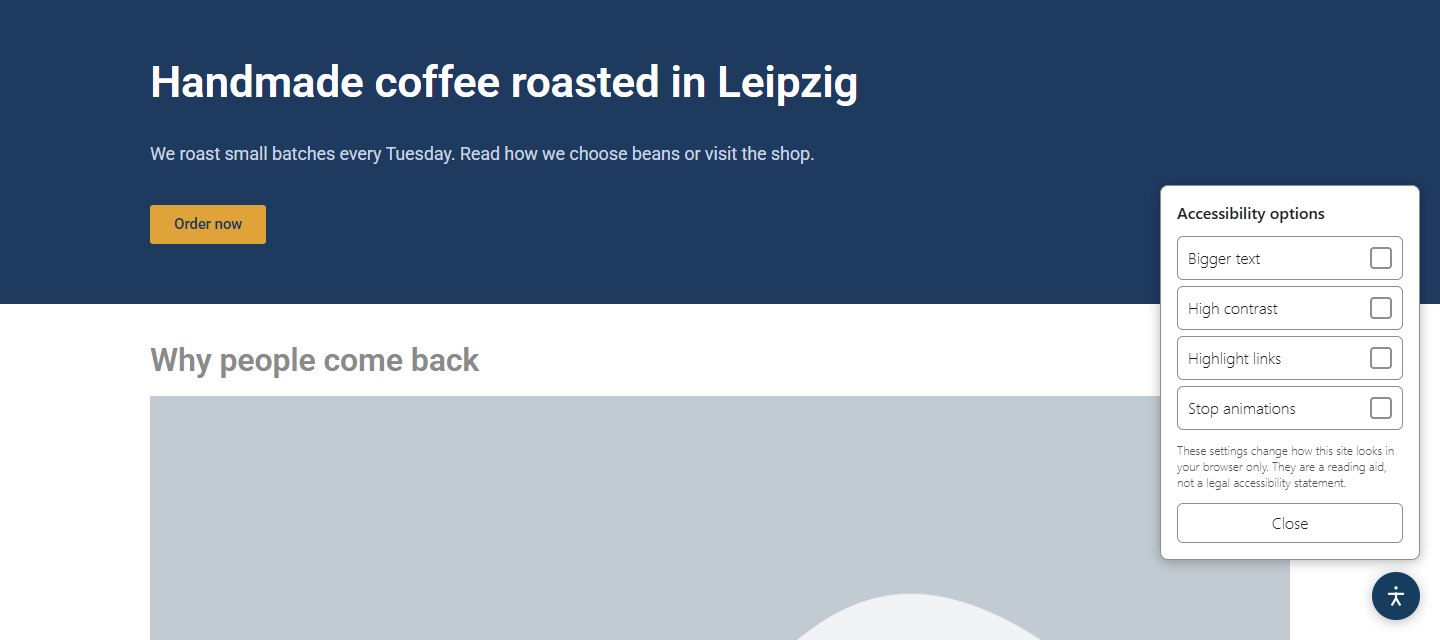
- Accessibility widget. Adds a small button that lets visitors enlarge text, switch to high contrast, highlight links and stop animations.
Everything runs inside your WordPress site. There is no account to create, no API key, no connection to our servers and no limit on visitors or page views.
Switching from One Click Accessibility? There is nothing to import or connect: deactivate the old plugin, install this one and run a scan.
The accessibility checker
- Unlimited manual scans: run a scan whenever you like. Each scan checks the front page and all of your published posts and pages, however many there are.
- Uses axe-core, the open-source accessibility engine by Deque, with WCAG 2.0 / 2.1 A and AA rules plus best practices.
- Checks colour contrast: text is measured against its background with the colours the page really shows.
- Runs in your own browser while you are on the plugin screen: each page of your own site is opened in a hidden frame and checked there, so the checker sees the page after themes and page builders (including Elementor) have rendered it, with real computed colours. Your hosting does not do the heavy work.
- Checks each page the way a logged-out visitor sees it, so the admin bar and editor links do not show up as false problems.
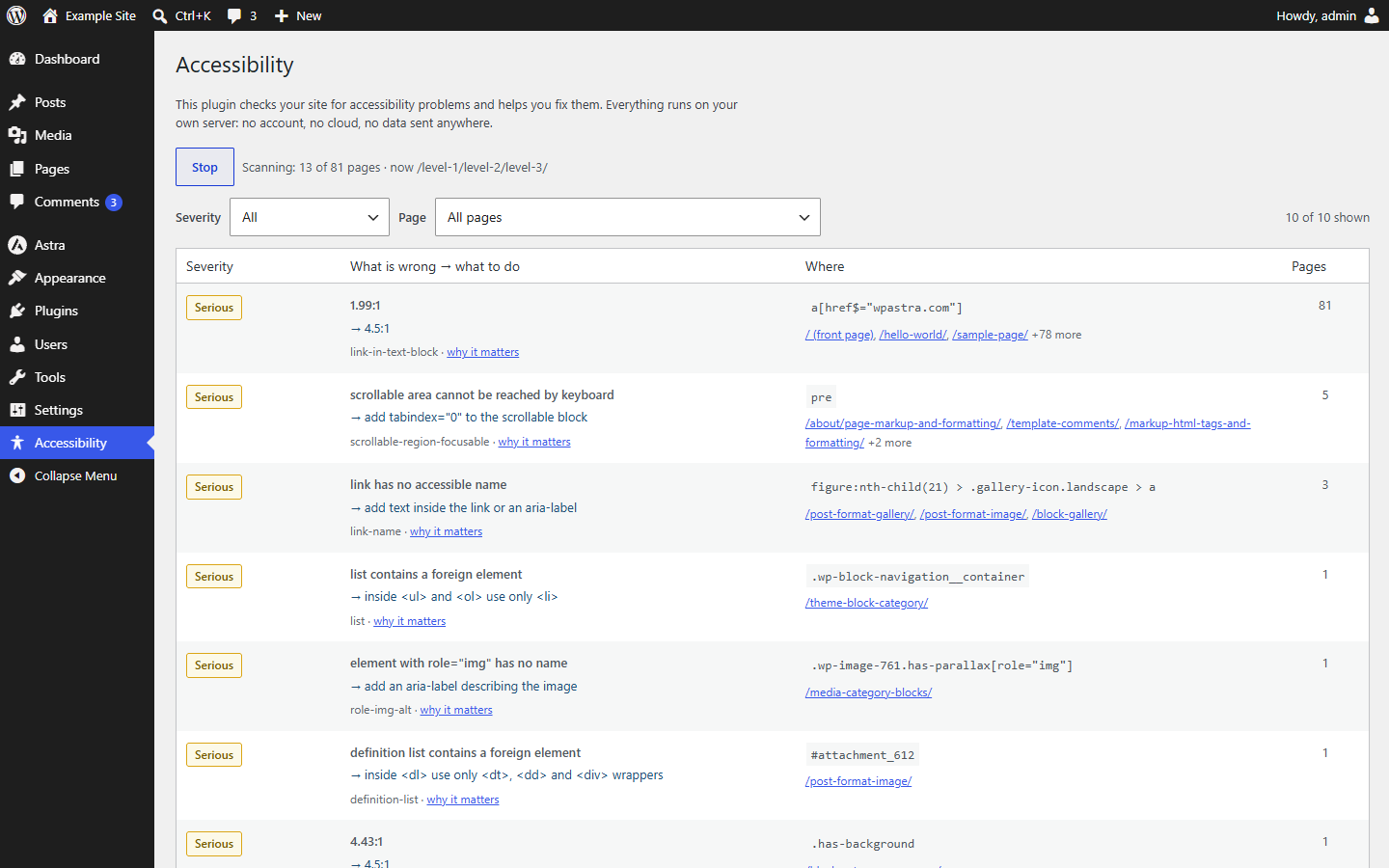
- Works in small batches of 5 pages. You can stop and continue later; progress is saved.
- The same problem on many pages becomes one row with a page count, instead of hundreds of repeated lines.
- Every finding shows the severity, what is wrong and what to do, the CSS selector of the element, the pages where it appears and a link that explains the rule.
- Filter by severity or by page. Problems the checker cannot explain automatically are listed as “Needs a human look” instead of being hidden.
- Only the site administrator (users who can manage options) can run a scan.
The accessibility widget
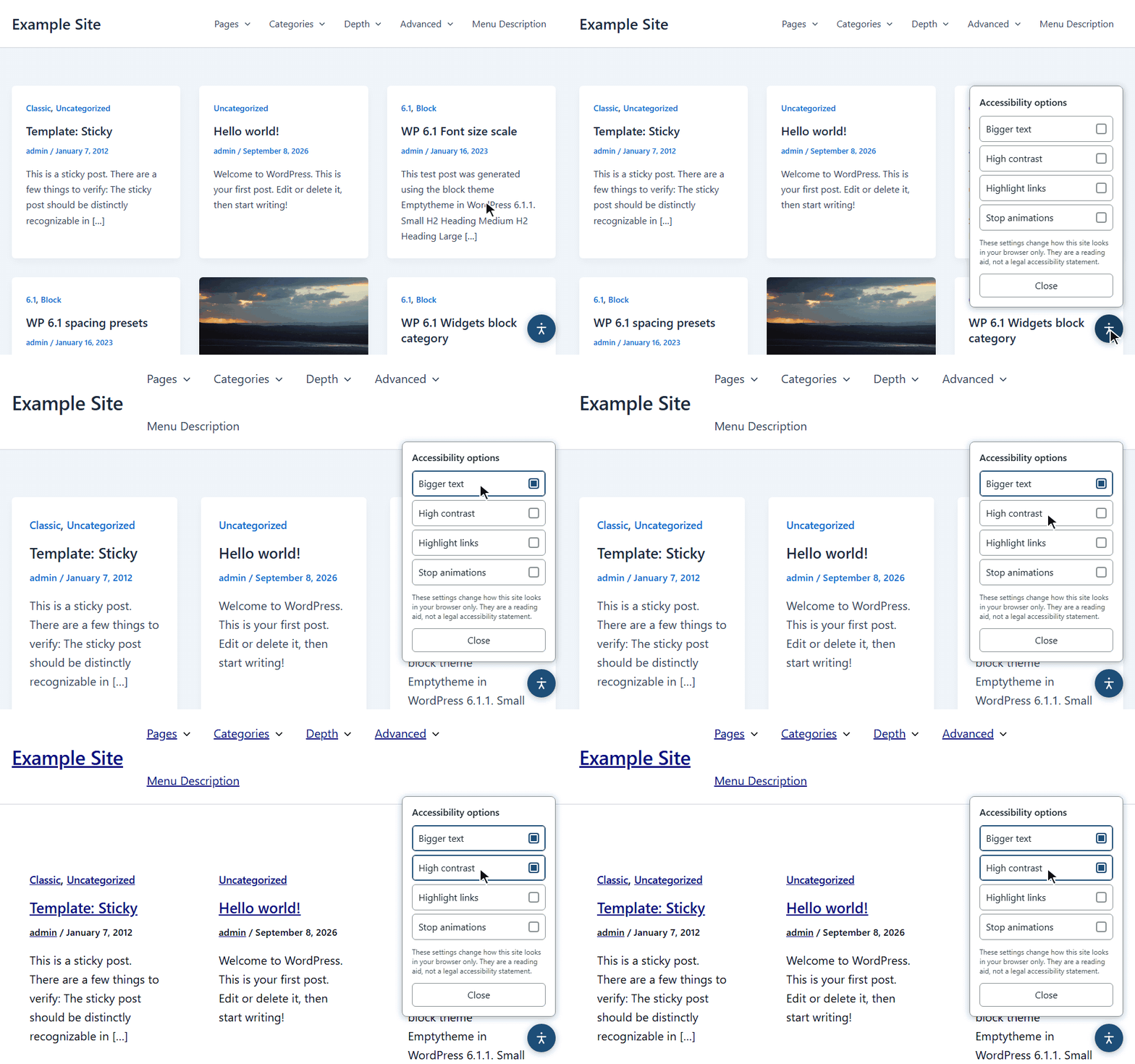
- A floating button on the front end of your site with four modes: Bigger text, High contrast, Highlight links and Stop animations.
- Bigger text also enlarges font sizes that Elementor sets in pixels.
- The visitor’s choice is stored only in their own browser (localStorage) and applied before the page is drawn, so there is no flash of the normal layout.
- The widget itself is accessible: it works with the keyboard (Tab stays inside the open panel, Esc closes it), has proper labels for screen readers, and follows dark mode, Windows high contrast mode and reduced motion settings.
- No “powered by” link and no credits on your site.
What this plugin is not
We want to be honest about this, because a lot of accessibility plugins are not.
- The widget does not make your site compliant with any law. It is a reading aid for visitors. Accessibility overlays are not accepted as a replacement for fixing the site itself.
- A scan is not an audit. Automated tools find only part of the problems described in WCAG. Many checks (for example, whether an image description makes sense) need a person.
- The plugin does not change your content or theme code. It shows you what to fix; fixing is up to you or your developer.
- It does not create an accessibility statement and does not schedule scans. The current version has no settings page options.
European Accessibility Act (EAA)
Laws such as the European Accessibility Act and Germany’s BFSG point to the EN 301 549 standard, which builds on WCAG 2.1 level AA. The checker uses WCAG 2.0 and 2.1 A and AA rules, so its findings are a practical starting list for that work. It does not give you a certificate or a legal opinion.
Privacy
- The plugin makes no requests to external servers. No telemetry, no usage tracking, no remote fonts or scripts.
- Scan results are stored in your own WordPress database. They are deleted when you delete the plugin.
- The widget sets no cookies and sends nothing anywhere.
- The plugin adds no admin notices, banners or ads to your dashboard. It lives on its own “Accessibility” menu page.
Third-party libraries
This plugin includes axe-core 4.13.0 by Deque Systems, Inc. in vendor/axe.min.js.
- Source code: https://github.com/dequelabs/axe-core (release 4.13.0: https://github.com/dequelabs/axe-core/tree/v4.13.0)
- License: Mozilla Public License 2.0, https://www.mozilla.org/en-US/MPL/2.0/ (full text included as
vendor/axe-LICENSE.txt). MPL 2.0 is compatible with the GNU GPL, see https://www.gnu.org/licenses/license-list.html#MPL-2.0 - The file is the unmodified minified build published by Deque. It includes core-js (MIT license), https://github.com/zloirock/core-js
The rest of the plugin code is not minified.
تصوير
FAQ
Do I need an account or an API key?
No. Install, activate, open the “Accessibility” menu and press “Scan the site”. Nothing to sign up for.
Is it GDPR friendly? Where does my data go?
Nowhere. The plugin does not contact any external server. Scan results stay in your WordPress database, and the widget keeps a visitor’s choice only in that visitor’s browser. Please still check your own privacy policy with your legal advisor; we cannot give legal advice.
Are there limits on visitors, page views or scans?
There are no limits on visitors or page views, and manual scans are unlimited: scan as often as you like. One scan covers the front page plus all published posts and pages, in small batches, however large the site is.
No. The plugin adds one menu item, “Accessibility”, and nothing else. No notices, no banners, no upsell screens.
Will the scan slow down my site?
The checks run in the browser of the administrator who starts the scan, not on your server. The server only serves your pages one at a time, with short pauses in between, the same way it serves a visitor. You can stop the scan at any moment.
Does the widget make my site legally compliant?
No. The widget helps visitors read your site more comfortably. Compliance comes from fixing the problems in the site itself, and the checker helps you find them.
Does it work with Elementor?
Yes. The checker tests the page after Elementor has rendered it, and the “Bigger text” mode also enlarges Elementor font sizes set in pixels.
I used another accessibility plugin that now requires an account. Can I switch?
Yes. Deactivate the old plugin, install this one and run a scan. There is nothing to import and nothing to connect.
Can I turn the widget off and use only the checker?
Not in this version. The widget appears on the front end while the plugin is active, and never in the admin area.
Why does the checker say “Needs a human look”?
For some rules the engine can report a problem but cannot say exactly what should change. Instead of hiding those, the plugin lists them separately with the rule name, the element and a link to the rule’s explanation, so a person can decide.
Where can I get help?
Please use the support forum: https://wordpress.org/support/plugin/finalwork-accessibility/
جائزا
ھن پلگ ان لاءِ ڪي به رايا ناھن.
تعاون ڪندڙ & ڊولپرز
“Finalwork Accessibility” اوپن سورس سافٽ ويئر آهي. ھيٺين ماڻھن ھن پلگ ان ۾ حصو ورتو آھي.
تعاون ڪندڙ
ترجمو ڪريو “Finalwork Accessibility” توهان جي ٻولي ۾.
ڊولپمينٽ ۾ دلچسپي؟
ڪوڊ براؤز ڪريو، چيڪ ڪريو SVN مخزن، يا رڪنيت حاصل ڪريو ڊولپمينٽ لاگ پاران RSS.
لاگ تبدیل ڪريو
1.0.0
- First public release.
- Accessibility checker: WCAG 2.0 / 2.1 A and AA scan of the front page, posts and pages with axe-core 4.13.0, in batches with stop and resume.
- Findings grouped across pages, with severity, what to fix, element selector, pages and rule link; filters by severity and page.
- Accessibility widget: bigger text (including Elementor pixel sizes), high contrast, highlight links, stop animations; choice remembered in the visitor’s browser.
- Widget works with keyboard and screen readers, dark mode, forced colors and reduced motion.
- Clean uninstall: all plugin data is removed when the plugin is deleted.