

وضاحت
Is your WordPress site suddenly slow, or experiencing unexpected errors? Tracking down exactly what went wrong can take hours of digging through error logs, deactivating plugins one-by-one, and writing complex database queries.
Meet Mega Debug Fixer – a lightweight and powerful diagnostic and recovery suite built to keep your WordPress site fast, secure, and always online.
Debugging WordPress shouldn’t require advanced technical expertise. With Mega Debug Fixer, you get an intuitive dashboard that visually diagnoses your site and offers automated fixes for common problems.
Core Highlights
- Autonomous 24/7 WSOD Crash Airbag: A low-level drop-in detects fatal PHP errors in 0.01 seconds and automatically isolates the offending plugin before your site goes down.
- Secret Emergency Rescue URL: Bookmark a private 1-click rescue link (
?mega_rescue=TOKEN) that instantly boots your site into AI Safe Diagnostic Mode without needing cPanel, SSH, or FTP access. - Pre-Fix Safety Snapshot Checkpoint Vault: Every optimization creates a local rollback snapshot. Made a change you don’t like? Revert with 1-Click Instant Undo within 24 hours.
- Headless REST CORS Auto-Whitelist: Instantly whitelist modern decoupled frontends (Next.js, Nuxt, React) with automatic dynamic origin headers.
- Unlimited Local WebP Converter: Automatically converts uploaded JPEG/PNG images to modern WebP format with zero third-party API costs or monthly limits.
- PHP 8.2+ Deprecation Log Suppressor: Silences harmless deprecation notices from flooding
debug.logand slowing disk I/O. - Database Junk Cleaner with Batch Chunking: Safely cleans expired transients, revisions, spam comments, and orphaned metadata in 500-item chunks to prevent MySQL table locks.
📊 Feature Comparison: Mega Debug Fixer vs Alternatives
Feature
Mega Debug Fixer
Query Monitor
WP Debugging
WP-Optimize
0.01s WSOD Crash Airbag
✅ FREE
❌ No
❌ No
❌ No
cPanel/FTP-Free Rescue URL
✅ FREE
❌ No
❌ No
❌ No
Pre-Fix 1-Click Undo Snapshots
✅ FREE
❌ No
❌ No
❌ No
Local WebP Converter (No Limits)
✅ FREE
❌ No
❌ No
❌ ($49 Pro)
Headless CORS Auto-Whitelist
✅ FREE
❌ No
❌ No
❌ No
Batch Chunked DB Cleaner
✅ FREE
❌ No
❌ No
✅ Basic
PHP 8.2+ Deprecation Filter
✅ FREE
❌ No
❌ No
❌ No
Multi-Site Cloud Hub Sync
✅ Optional
❌ No
❌ No
❌ No
🚀 Everything You Get for Free
- Autonomous WSOD Crash Airbag: Early-intercept drop-in catches fatal errors and keeps your admin accessible.
- Secret Emergency Rescue Portal: Instant browser-bookmarkable URL to recover locked sites without cPanel.
- Visual Performance & Health Dashboard: Monitors TTFB, memory usage, PHP environment, and database bloat.
- Pre-Fix Safety Snapshot Vault: Automatic local backup snapshots with 1-Click Instant Undo.
- Local WebP Image Converter: Converts images to next-generation formats directly on upload.
- Database Junk Scanner & Cleaner: Removes post revisions, auto-drafts, spam comments, and expired transients.
- Headless CORS Origin Whitelist: Provides cross-origin REST API headers for headless frontends.
- PHP 8.2+ Deprecation Log Suppressor: Keeps your server logs clean and saves disk space.
- Admin Notice & Clutter Cleaner: Dismisses annoying persistent admin notices.
- SSL & Security Configuration Audit: Verifies HTTPS padlocks and SSL headers.
⚡ Cloud-Powered Advanced Features
For power users, agencies, and developers managing multiple client websites, our optional Mega Plugin Hub connection provides:
- Remote Multi-Site Diagnostic Dashboard: Centrally view health scores and server metrics across all client sites.
- AI Doctor Diagnostic Fixes: Deep cloud-assisted root-cause diagnosis for stubborn server and plugin conflicts.
- Plugin Guilt Scorecard & Latency Tracker: Pinpoints sluggish third-party plugins causing high TTFB and execution lag.
- Headless Webhook Monitors: Real-time notifications when a site encounters an error.
- Instant 1-Click SSO Auto-Login: Secure passwordless access directly from your Mega Plugin Hub portal.
✨ Learn more about our advanced cloud features here.
🛡️ Safe, Secure, and Hub-Connected
Mega Debug Fixer is 100% functional locally out of the box with zero forced account creation. Connecting to the Mega Plugin Hub dashboard is strictly optional for users who want centralized multi-site management. All communication happens securely via authenticated REST endpoints.
External services
This plugin relies on external third-party services and APIs to provide licensing and settings synchronization features. By using this plugin, you agree to their respective terms and privacy policies:
- Mega Plugin Hub (API: https://api.megapluginhub.com)
- Usage: Used to verify your optional license key, synchronize plugin settings, and provide remote multi-site health monitoring.
- Data Sent: Only your license key and non-sensitive diagnostic telemetry (active plugin list, PHP version, load times, and error summaries) are sent when connected. No sensitive user passwords, payment data, customer details, or private post contents are ever transmitted.
- Terms & Privacy: Terms of Service | Privacy Policy
Privacy Policy
Mega Debug Fixer is committed to user data privacy:
- No sensitive data transmission: User passwords, customer orders, and private database records never leave your website.
- Optional Hub connection: Data synchronization only occurs if you explicitly connect your Mega Plugin Hub license key.
- Local crash logs: Crash telemetry is stored locally in your database (
wp_options) and can be cleared at any time. - No external tracking cookies or CDN font scripts: All styles and scripts run entirely from local plugin assets.
Credits
Developed with ❤️ by MegaWix Technologies
Mega Plugin Hub is a WordPress plugin brand powered by MegaWix Technologies
- Plugin Development: MegaWix Technologies
- Testing & QA: MegaWix Technologies
Support
Need help? Have a question or feature request?
- Plugins Website: Mega Plugin Hub
-
Plugin Support: support@megapluginhub.com
-
Company Website: MegaWix Technologies
- Company & Business Inquiries: info@megawix.com
We are committed to providing reliable support and regular updates to ensure this plugin remains compatible with the latest WordPress versions.
تصوير
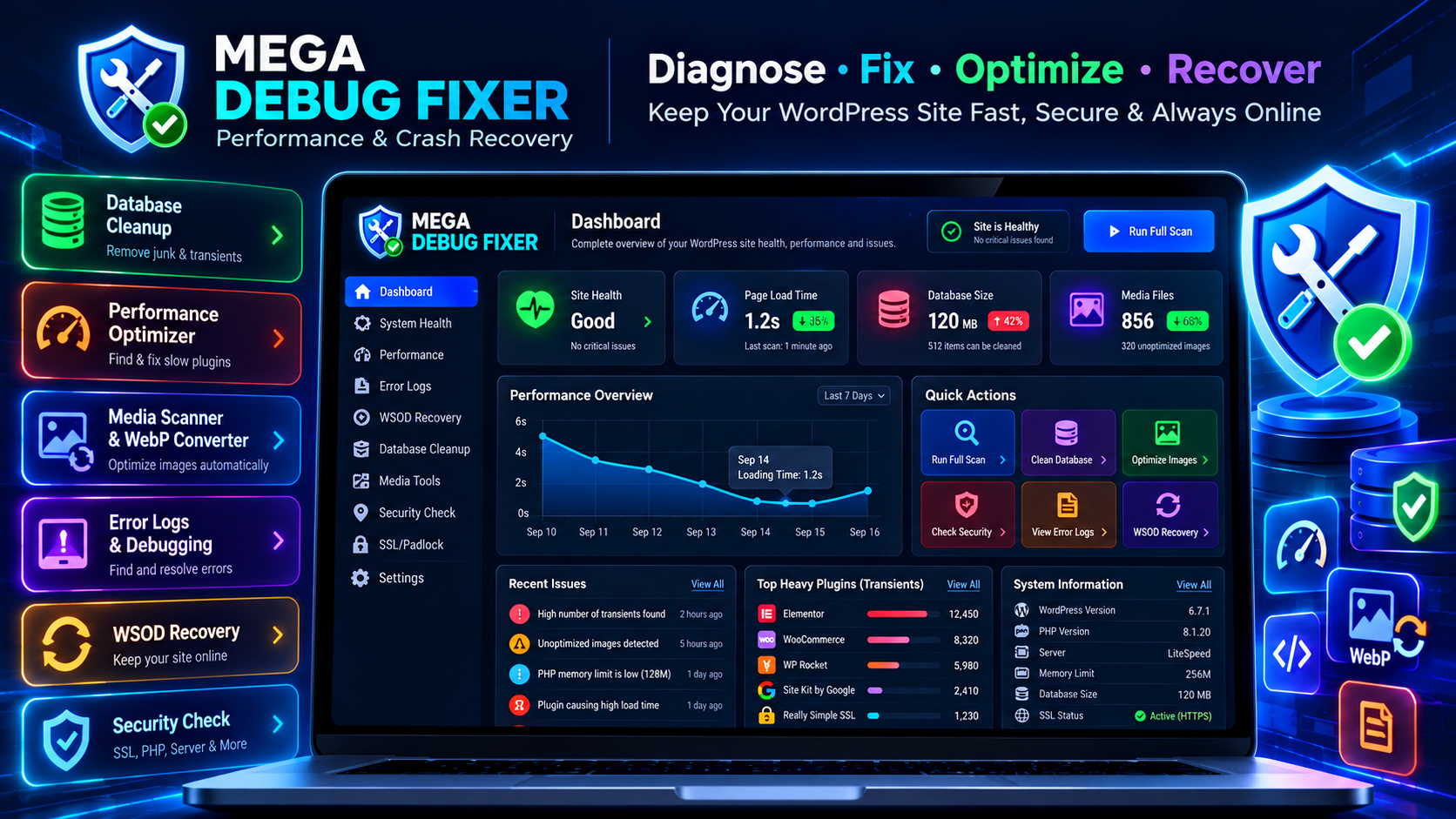
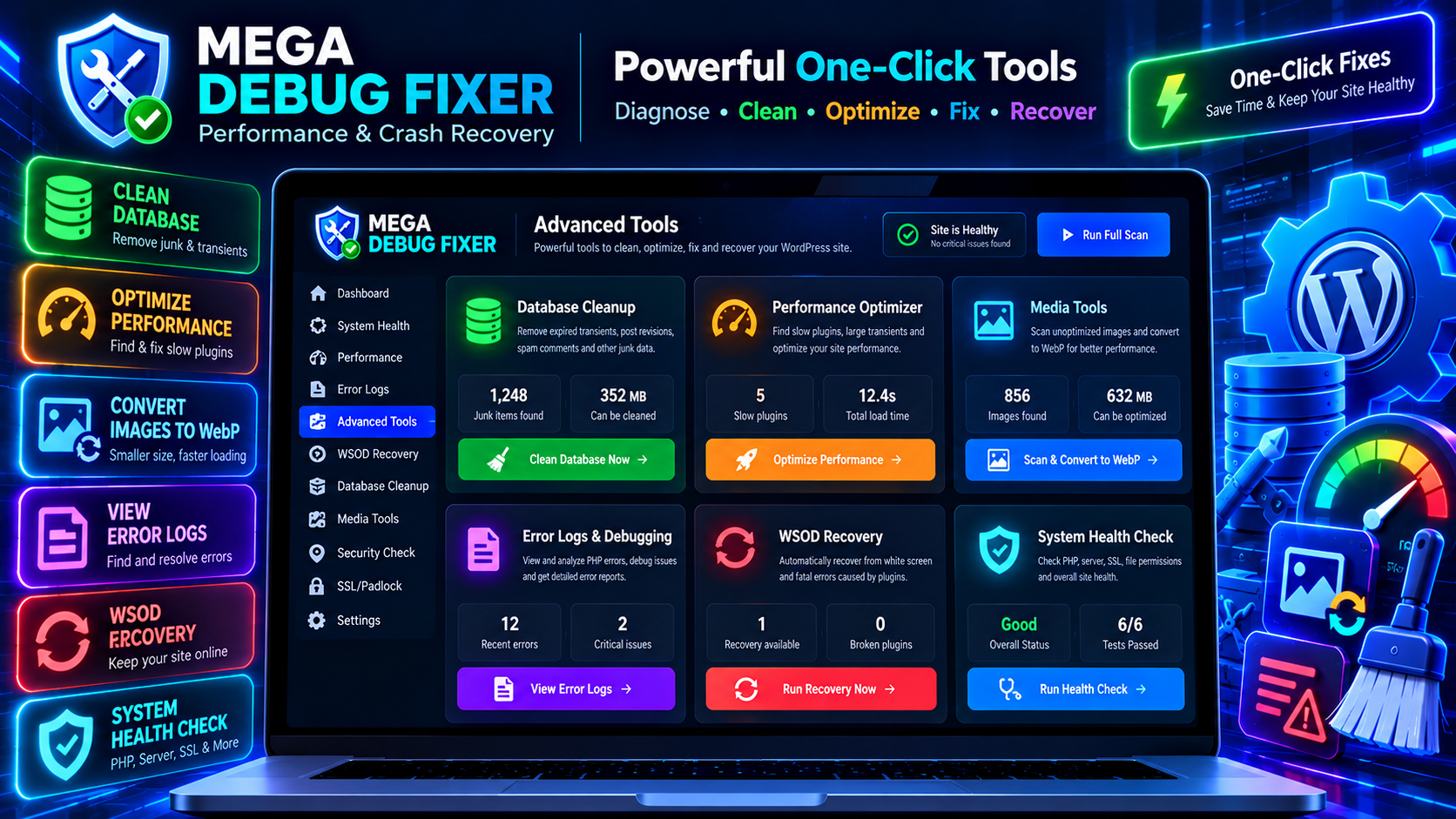
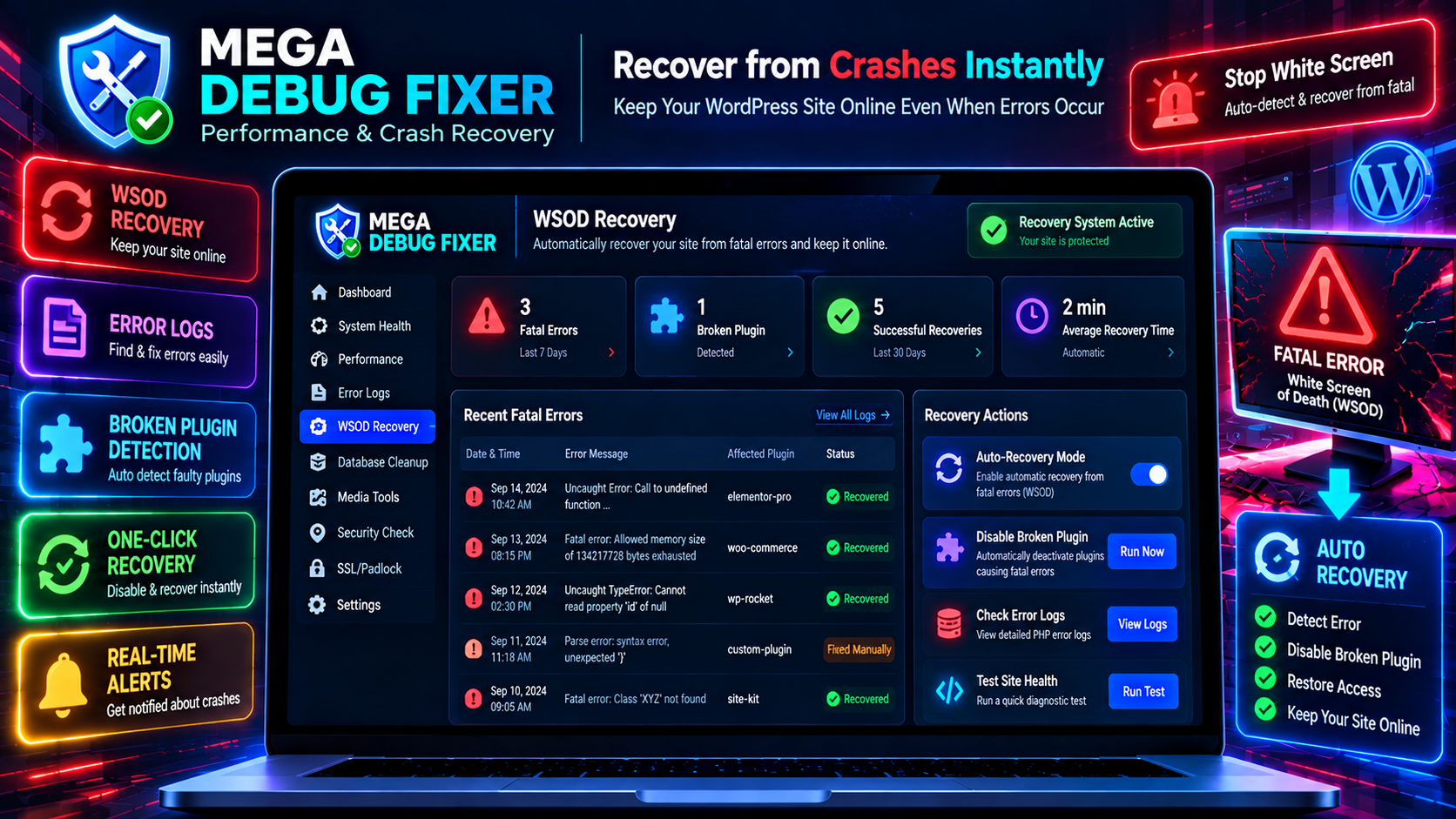
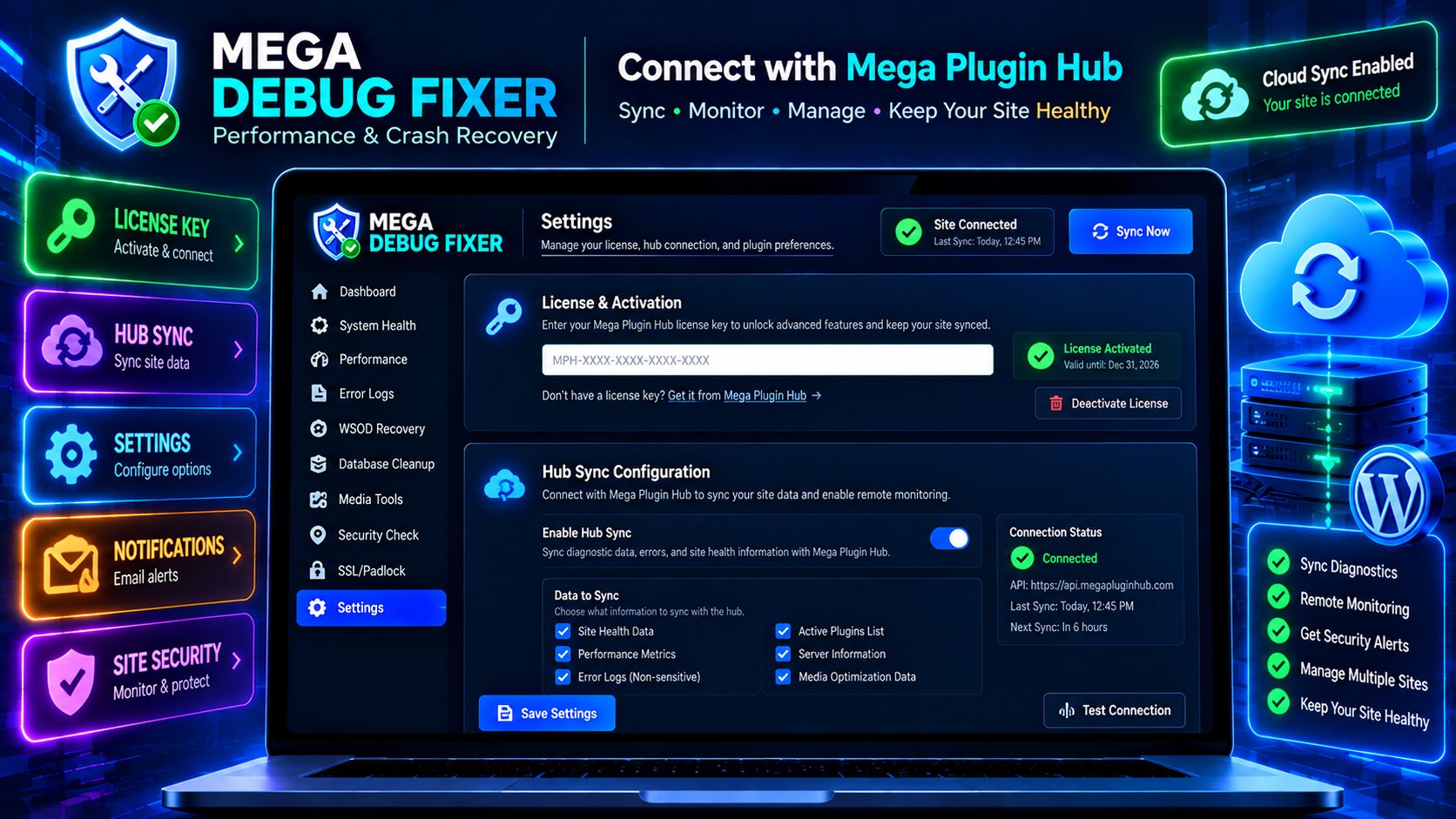
انسٽاليشن
Automatic Installation
- Go to WordPress Admin Plugins Add New
- Search for Mega Debug Fixer
- Click Install Now Activate
- Look for Mega Debug Fixer in your WordPress admin menu!
Manual Installation
- Download the plugin ZIP file.
- Go to Plugins Add New Upload Plugin.
- Select the ZIP file and click Install Now.
- Click Activate Plugin.
Initial Setup
- Open Mega Debug Fixer from your WordPress sidebar.
- Enable the Autonomous 24/7 Auto-Pilot Engine toggle.
- Copy your unique Secret Emergency Rescue Link and save it to your browser bookmarks.
- Run your first system health scan to optimize your site!
FAQ
-
How does Mega Debug Fixer recover my site from a White Screen of Death (WSOD) without FTP or cPanel?
-
When Auto-Pilot is enabled, Mega Debug Fixer deploys a lightweight drop-in airbag (
wp-content/mu-plugins/mega-debug-protector.php) that runs before themes and regular plugins. If an unhandled fatal error or syntax exception strikes, the protector intercepts it in 0.01 seconds viaregister_shutdown_function, dynamically isolates only the crashing plugin from the active plugins array, flushes the object cache, and keeps your entire site online. Additionally, your unique Secret Emergency Rescue URL (?mega_rescue=TOKEN) boots WordPress into Safe Diagnostic Mode and auto-logs you in as administrator—even if you are completely locked out ofwp-login.php. -
How does the AI Doctor diagnose cryptic PHP fatal errors and stack traces?
-
Instead of presenting unreadable stack traces (e.g.,
Fatal error: Uncaught TypeError in /plugins/some-plugin/class-foo.php on line 142), our AI Doctor analyzes the execution path, identifies the offending plugin or theme callback, and translates it into a 2-line plain English explanation with an automated 1-click remediation recipe. All AI diagnoses are fingerprinted via MD5 and cached for 24 hours to deliver sub-millisecond instant responses. -
Does Mega Debug Fixer overwrite or modify my PHP source files on disk?
-
No, never. Mega Debug Fixer enforces a strict 0% PHP File Overwrite Policy. All fixes, hook silencers, CORS headers, and WebP rewrites operate dynamically at runtime via native WordPress action filters and options. Your third-party plugin and theme source files on disk remain 100% untouched, eliminating syntax error and update overwrite risks.
-
How does the Pre-Fix Safety Snapshot Vault and 1-Click Instant Undo work?
-
Before executing any database cleanup or optimization recipe, the engine creates an atomic checkpoint in your database storing the exact state of options and plugin configurations. If an applied fix produces unexpected side effects, simply click the prominent
[ ↩️ 1-Click Instant Undo ]button within 24 hours to immediately revert your database to its exact pre-fix state with zero data loss. -
How does Mega Debug Fixer resolve Headless WordPress (Next.js, React, Nuxt) REST API and CORS errors?
-
Decoupled frontends frequently fail due to missing cross-origin headers, unhandled ACF null responses, or
next buildstatic generation timeouts. Mega Debug Fixer detects API requests and dynamically injectsAccess-Control-Allow-Origin,Access-Control-Allow-Methods,Access-Control-Allow-Headers, andAccess-Control-Allow-Credentialsheaders for your allowed domains (such aslocalhost:3000or*.vercel.app) without requiring server.htaccessor Nginx modifications. -
What makes the Secret Emergency Rescue URL different from WordPress native Recovery Mode?
-
WordPress core Recovery Mode requires receiving an automated email containing a temporary link. If your host fails to deliver PHP mail, or if the fatal error occurs before core mail functions initialize, you remain locked out. The Secret Emergency Rescue Link (
https://yoursite.com/?mega_rescue=SECRET_TOKEN) works instantly on-demand without email dependencies, verifies token integrity with cryptographic timing-attack resistance (hash_equals), and provides an independent emergency dashboard even if your theme is completely broken. -
Can Mega Debug Fixer prevent WooCommerce checkout crashes and cart drops?
-
Yes. E-commerce sites are highly vulnerable to fatal crashes triggered by outdated shipping, payment gateway, or marketing extensions during checkout. Mega Debug Fixer isolates broken hook callbacks on the fly so your checkout funnel stays operational. Furthermore, our database cleaner includes hardcoded safety exemptions that strictly forbid the deletion of WooCommerce shop orders, order placeholders, products, variations, coupons, and active cart sessions.
-
How does the Unlimited Local WebP Converter work, and does it charge third-party API fees?
-
Mega Debug Fixer converts JPEG and PNG images to next-gen WebP format directly on your server using PHP’s native GD or Imagick extensions with quality 80 compression. There are zero external API dependencies, no monthly image compression quotas, and no subscription fees. Frontend HTML output buffering automatically rewrites image paths to their
.webpcounterparts only if the converted file physically exists on your storage disk. -
Why does the Database Cleaner process records in batches of 500 (Batch Chunking)?
-
Running massive
DELETEqueries on large production databases can trigger MySQL row/table locks, causing database spikes, slow queries, and HTTP 504 Gateway Timeouts. Mega Debug Fixer processes expired transients, post revisions, spam comments, and orphaned records in safe, controlled batches of 500 items, keeping your database responsive and transactions non-blocking. -
How does Mega Debug Fixer suppress PHP 8.2 and 8.3 deprecation notices?
-
Modern PHP versions (PHP 8.2 and 8.3) emit numerous harmless deprecation warnings (such as
Creation of dynamic property is deprecated) for older third-party plugins. These notices rapidly inflatedebug.logfiles into hundreds of megabytes, consuming disk space and slowing server I/O. Mega Debug Fixer intercepts and silences non-fatal deprecation notices while capturing critical fatal errors in a lightweight, self-rotating telemetry log. -
Does Mega Debug Fixer slow down my website or increase server overhead?
-
No. The plugin is engineered with zero-bloat architecture. The Must-Use crash protector script weighs under 4KB and executes in less than 0.001 seconds during PHP shutdown. Background scans and slow query monitors hook into WordPress cron or run asynchronously without blocking frontend page rendering.
-
What happens when I uninstall or delete Mega Debug Fixer?
-
Mega Debug Fixer includes an ironclad uninstallation lifecycle. When deleted through WordPress admin,
uninstall.phpcompletely removes the Must-Use protector (wp-content/mu-plugins/mega-debug-protector.php), purges all temporary logs, deletes 24h snapshot checkpoints, and removes all plugin settings fromwp_options. If deleted directly via FTP, the MU protector detects the missing parent plugin and autonomously cleans up its own file from disk, ensuring 0% leftover residue.
جائزا
ھن پلگ ان لاءِ ڪي به رايا ناھن.
تعاون ڪندڙ & ڊولپرز
“Mega Debug Fixer – Smart AI Performance & WSOD Crash Recovery” اوپن سورس سافٽ ويئر آهي. ھيٺين ماڻھن ھن پلگ ان ۾ حصو ورتو آھي.
تعاون ڪندڙ
ترجمو ڪريو “Mega Debug Fixer – Smart AI Performance & WSOD Crash Recovery” توهان جي ٻولي ۾.
ڊولپمينٽ ۾ دلچسپي؟
ڪوڊ براؤز ڪريو، چيڪ ڪريو SVN مخزن، يا رڪنيت حاصل ڪريو ڊولپمينٽ لاگ پاران RSS.
لاگ تبدیل ڪريو
1.2.0
- Refactored view templates and protector scripts to strictly adhere to WordPress Coding Standards (WPCS) and PHPCS prefix conventions (mega_debug_).
- Replaced direct database queries on options table with cached WordPress core functions (get_option).
- Enhanced drop-in error recovery mechanism to use wp_delete_file() and native WordPress Filesystem methods.
- Fixed single-sign-on (SSO) login action hooks with strict WordPress core action annotations.
- Enhanced compatibility and testing for WordPress 7.1 and PHP 8.3+.
1.1.0 – AI Autonomous Doctor Release
- Added Autonomous AI WordPress Doctor Engine powered by Google Gemini Pro AI.
- Added 24h Pre-Fix Safety Snapshot Checkpoint Vault & 1-Click Instant Undo.
- Added Secret Emergency Rescue URL Portal (?mega_rescue=TOKEN) for cPanel/FTP-free WSOD crash recovery.
- Added Plugin Guilt Scorecard & Latency Visualizer.
- Added Headless WordPress CORS API Diagnostics & 1-Click Origin Whitelisting.
- Added Database Cleanup Batch Chunking (LIMIT 500) to prevent MySQL table locks.
- Added Protocol-Agnostic WebP URL replacement engine.
- Upgraded compatibility: Tested up to WordPress 7.1.
1.0.0 – Initial Release
- Initial Release of Mega Debug Fixer.
- Added Core Diagnostics (Performance, Media, Database, System).
- Added Maintenance Features (Admin Clutter, SSL, WooCommerce cleaner).
- Added Cloud Hub Integration (WSOD Recovery, Remote telemetry sync).
- Fully optimized REST API endpoints.
- Admin UI with Mega Plugin Hub sync.