
وضاحت
100% FREE for a limited time. NO size limitations, NO Premium add-ons, NO Gimmicks. Works best with smaller sites under 1GB in size.
Overview
1 Click Migration is the most straight forward migration plugin available. It enables you to:
- Migrate, move, or clone a WordPress site between hosts or domains with no downtime
- Push up a new site from local host to a live domain
- Pull down a live site to localhost for development
- Transfer a WordPress site from one host to another
- Create a staging version of a live site
- Execute a full WordPress migration with no technical knowledge
- More info on our website 1ClickMigration.com
Hassle free migration
Migrate, copy, or clone your site with 1 Click. Any host, no size limitation, no premium versions.
The Easiest to use migration plugin on the market. No file downloads, uploads, size limitations, or premium versions required. 1 click to export your site and just 1 more click to fully restore it to your new host.
Selective Exports & Imports
You can backup or restore the full site or only portions of it. From the advanced menu you can chose to exclude DB, Plugins, Uploads or Themes from either backup or restore.
Faster Exports & Imports
Your archives are streamed from server to server and you are not required to have a fast internet connection for migration to be successful. We handle all the magic in the background without the need to download or upload any file.
No Size limits,Super Fast Site Restore
With 1 click, your export file is streamed down, decrypted on your server, and then used to restore all your data. There are no import size limitations.
Changing domains? No problem
We automatically detect domain changes and update your database and installation accordingly.
Fast & Secure
We archive and encrypt the data on your server using a password you choose, then stream it securely to our online storage, then back to your new location. We never have (or want to have) access to your password or your unencrypted files.
Step By Step Backup & Restore Guide
Site Backup
- Disable & remove any unwanted Themes, Plugins, Media Files, Comments etc.
- Database cleanup is also recommended. If you don’t know how to do this manually there are many cleaner plugins you can try such as advanced-database-cleaner
- Please deactivate all plugins except for ‘1 Click Migration’ if possible.
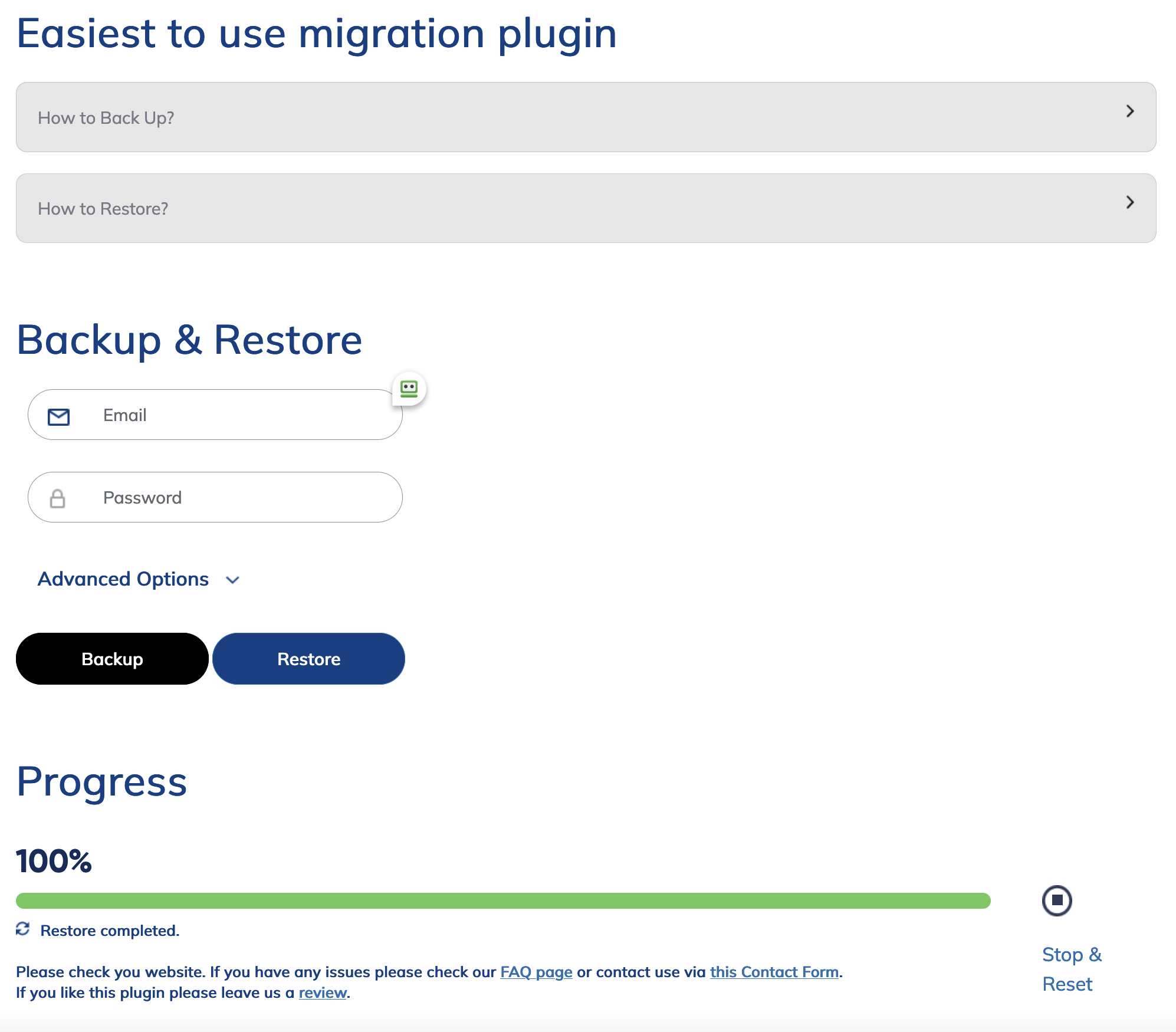
- Enter your email and choose a password then click Backup Site. Backup can take up to 30 minutes to complete. The password will be used to encrypt your files while they are being backed up, streamed, and stored on our servers. A strong password is recommended. Do not use your WordPress password.
Site Restore
- When you are ready to restore your site install a clean copy of WordPress and 1 Click Migration plugin on the new host.
- Please delete all other pre-installed plugins if any. Enter your email and password and click Restore. Restore can take up to 30 minutes to complete.
Troubleshooting
- If your backup is large and restoring it fails, press ‘Stop & Reset’ and use the advanced options dropdown and restore one section at a time. Please restore the Database last. If you run into issues please contact us via this Contact Form. Please include the email you used with the plugin so we can locate your log files and try to help you. If we are not able to help you we will refund your charge 100% guaranteed.
Important Info
- If you backup using the same email & password combination repeatedly we will overwrite the backup data each time
- You have 24 hrs after the backup was created to execute the restore.
- Your encrypted data is stored on our Amazon S3 Servers (https://aws.amazon.com/s3/). We do not have access to your raw data and can not recover your passwords for you. After 24hrs the data in our cloud storage is automatically deleted and can not be recovered. (https://aws.amazon.com/legal/service-level-agreements/)
تصوير
FAQ
-
How long does it take for the backup or restore process?
-
Depending on your site size it could take up to 30 minutes for each to finish. We strongly recommend performing a cleanup before backing up and disabling all other plugins. If you have FTP access look in your wp-content folder and remove any unused files, old backups etc.
-
What do I do if backup or restore times out?
-
Try backup up or restoring piece by piece using the advanced menu. If that also fails you need to contact your hosting company and increase the server resources. We’ve had successfully migrations that were over 2GB in size.
-
Can you skip some files from migration such as uploads or plugins?
-
Yes, you can use the advanced drop down and select what you want excluded.
-
Do you offer support for WordPress Multisite?
-
Not at this time.
-
How much time do I have to restore the site?
-
You have 24 hrs from the time the backup was completed. If you miss the time window you would need to initiate the backup again before you can restore. Once paid you will have 7 days of unlimited migrations when using the same email address.
-
Do you update all URLs in the database with the new domain?
-
Yes, as of version we automatically perform a search and replace in all database tables and update the new URL everywhere including serialized entries.
جائزا


تعاون ڪندڙ & ڊولپرز
“1 Click WordPress Migration Plugin – 100% FREE for a limited time” اوپن سورس سافٽ ويئر آهي. ھيٺين ماڻھن ھن پلگ ان ۾ حصو ورتو آھي.
تعاون ڪندڙ
ترجمو ڪريو “1 Click WordPress Migration Plugin – 100% FREE for a limited time” توهان جي ٻولي ۾.
ڊولپمينٽ ۾ دلچسپي؟
ڪوڊ براؤز ڪريو، چيڪ ڪريو SVN مخزن، يا رڪنيت حاصل ڪريو ڊولپمينٽ لاگ پاران RSS.
لاگ تبدیل ڪريو
2.1
- Bug fixes
2.0
- Complete redesign for easier use
- Multiple bug fixes and error catching directives
1.6
- Added manual and automated retries
- Improved compatibility with various hosting providers
- Improved front end messaging related to retries and failures
1.4
- Added selective backup / restore
- Added full php debug info to log
- Added Stop & Reset button if things get stuck
1.3
- Add support for serialized db entries
- Add PayPal payment
1.2
- Updated plugin dependencies. Large refactoring. Added retries.
1.1.5
- Updated all plugin dependencies. This fixes an issue where PHP ran out of memory when creating some larger archives
1.1.4
- Improved logs and permission handling.
1.1
- Improved compatibility with all managed hosting sites.
1.0
- Initial plugin general release